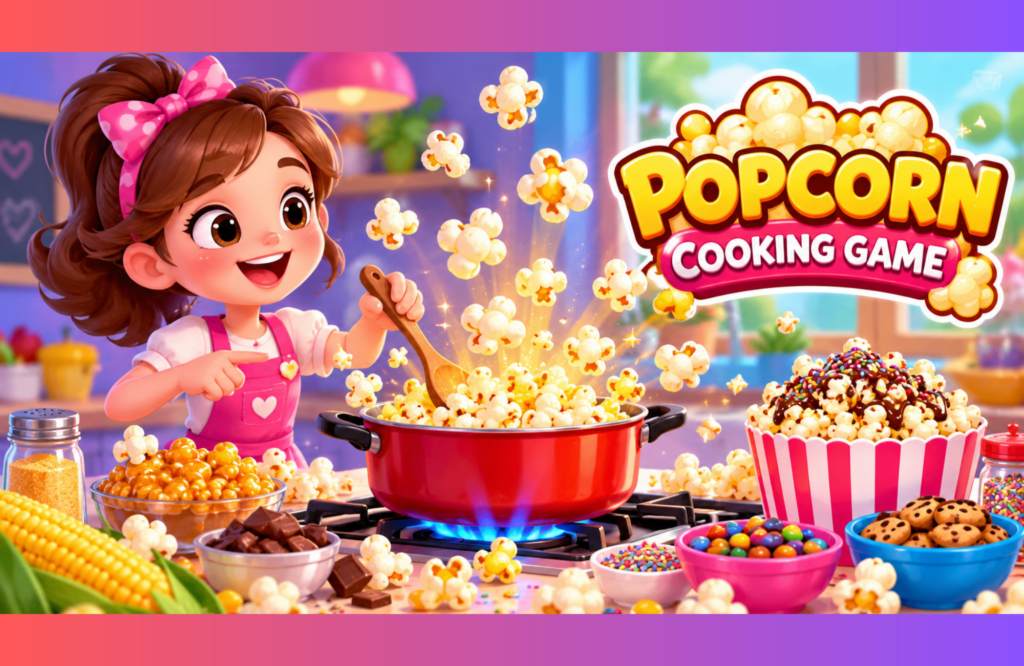
Enjoy Popcorn Cooking Game, a fun casual game where you can make delicious popcorn from corn kernels. Cook your popcorn, explore colorful ingredients, and decorate your tasty creations with cookies, candies, chocolates, and toys. Enjoy simple controls, HD graphics, unlimited combinations, and a fun sliding puzzle minigame.
Capture screenshots of your popcorn masterpieces and share them with friends and family. Explore Popcorn Game features, gameplay tips, Android compatibility, safety advice, and alternatives on TurboAPKs.com.
What Is Popcorn Game?
Popcorn Game is a name used for several games built around popcorn, popping kernels, or popcorn-themed challenges. The exact gameplay depends on which version you choose. For example, Google’s Celebrating Popcorn Doodle is a survival game where players control popcorn kernels in an arena and attempt to avoid incoming attacks. The objective is to remain in the game longer than other players. Meanwhile, Popcorn! on Steam is a casual clicker game that lets players pop and eat popcorn, explore levels, and compete for high scores.
This difference is important because not every game with popcorn in its name offers the same experience. Some versions are designed for short gaming sessions, while others offer additional challenges, progression, and competitive elements.
How Does It Work?
Most popcorn-themed games use simple controls and easy-to-understand objectives. Depending on the version, you may need to:
- Tap or click the screen to pop popcorn kernels.
- Move your character to avoid obstacles.
- Complete levels by reaching a specific target.
- React quickly to changing challenges.
- Collect points and improve your score.
- Unlock additional levels or gameplay options.
- Compete against other players in supported modes.
Before starting, check the description of the specific game you want to play. This will help you understand its controls, features, and requirements.
Why Choose Popcorn Game?
There are many types of mobile and browser games available today. Some require complicated controls, while others take a long time to complete.
Popcorn-themed games can be a good choice for people who prefer simple gameplay and short challenges.
1. Easy to Understand
Many versions use straightforward controls. You can often learn the basic rules within a few minutes.
This makes them suitable for beginners who want to enjoy a game without reading a long instruction manual.
2. Suitable for Short Breaks
You do not always need an entire afternoon to enjoy a casual game. Some popcorn-themed games offer short levels or quick rounds.
You can play during a break, after finishing your work, or whenever you have a little free time.
3. Different Types of Challenges
Depending on the version, you may encounter timing challenges, survival mechanics, level progression, or score-based gameplay.
This variety gives players different ways to enjoy the popcorn theme.
4. Opportunities to Improve Your Skills
Some games reward quick reactions, careful movement, and good timing.
As you play more often, you may become better at recognizing patterns and responding to challenges.
5. Entertainment for Different Players
Casual games can appeal to people with different levels of gaming experience.
However, features such as multiplayer support, difficulty settings, and device compatibility depend on the individual game.
Features of Popcorn Game
The available features vary between versions. The following are common features you may find in popcorn-themed games.
Simple Controls
Many casual games use taps, clicks, or basic keyboard controls. These controls help new players learn the game quickly.
Engaging Gameplay
Popcorn-themed games can offer challenges that encourage players to improve their performance and try again after losing.
Levels and Challenges
Some versions provide multiple levels with different objectives. Completing a challenge may unlock another stage or introduce a new gameplay mechanic.
Score Tracking
Score-based games allow you to measure your performance. You can use your previous results to see whether your timing or strategy is improving.
Different Game Modes
Certain games offer more than one way to play. For example, Popcorn! on Steam includes a classic mode without a timer and a time-trial mode focused on speed and high scores.
Other popcorn-themed games may offer survival or multiplayer modes.
Colorful Visual Design
Popcorn is a recognizable theme that works well with bright colors, playful animations, and simple characters.
The visual style depends on the developer and the particular game.
Sound Effects and Music
Some versions use popping sounds, background music, and other audio effects to make the experience more enjoyable.
You may be able to adjust the volume or mute the sound, depending on the available settings.
Different Device Experiences
Some popcorn games run in a web browser, while others are available as downloadable PC or mobile games.
Always check the official game page to confirm which devices are supported.
Image of the Popcorn Game
How to Play Popcorn Game?
The steps depend on the version you choose. Follow this general guide to get started.
Step 1: Choose a Version
First, decide which type of game you want.
If you enjoy survival challenges, you can explore Google’s Celebrating Popcorn Doodle. If you prefer a casual clicking experience, you can look at Popcorn! on Steam.
Step 2: Open the Game
Visit the official game page using your browser or the appropriate game platform.
Check whether the game is free or paid before starting.
Step 3: Learn the Controls
Read the instructions displayed on the screen.
Some games use a mouse or keyboard, while others support touch controls.
Step 4: Understand the Objective
Find out what you need to do to win or complete a level.
For example, you may need to pop kernels quickly, achieve a target score, or survive while avoiding obstacles.
Step 5: Start Playing
Begin with the basic challenges and focus on understanding how the game works.
Do not worry if you make mistakes at first. Learning the controls is part of the experience.
Step 6: Improve Your Performance
Pay attention to the challenges that cause you to lose points or fail a level.
Try different approaches and repeat the levels when necessary.
Tips for Using Popcorn Game
If you want to enjoy the game and improve your results, follow these simple tips.
Learn Before Playing Quickly
Spend a little time understanding the controls. Trying to move too quickly before learning the rules can lead to unnecessary mistakes.
Focus on Timing
In games that involve clicking or popping, good timing can help you complete challenges more efficiently.
In survival games, careful movement and quick reactions may be more important.
Start With Easier Challenges
If the game provides different difficulty levels, begin with the easier options.
Once you understand the basic mechanics, move on to more difficult challenges.
Avoid Random Movements
In games where you control a character, think about where you want to move before acting.
Random movements can make it harder to avoid obstacles.
Take Breaks
Playing for too long can become tiring. Take breaks and balance gaming with your daily responsibilities.
Check Game Updates
Developers sometimes release updates that fix bugs, improve performance, or introduce new features.
Use the game’s official distribution platform to check for available updates.
Is Popcorn Game Safe?
The safety of a game depends on its developer, distribution source, privacy practices, and the permissions it requests. Playing a game through a trusted platform or an official browser page is generally a better starting point than downloading an unknown file from an unfamiliar website.
However, no download source can guarantee complete safety.
How to Stay Safe?
Use trusted sources: Open the game through its official website or recognized distribution platform.
Avoid suspicious downloads: Be careful with websites offering modified versions, unlimited rewards, or special features that sound unrealistic.
Check app permissions: A simple game may not need access to your contacts, microphone, or location. Review any unexpected permission requests.
Protect your personal information: Do not share passwords, payment information, or other private details with an untrusted game or website.
Check payment requirements: Read the pricing details before buying a game or making an in-game purchase.
Keep your device updated: Install security updates for your operating system and browser.
Is It Safe to Download a Popcorn Game APK?
An APK is an Android application installation file. Some websites distribute Android games through APK downloads, but downloading an APK from an unfamiliar source can expose your device to security risks. Before installing one, verify the developer and source. Check the requested permissions, keep Google Play Protect enabled, and avoid modified packages that you cannot verify.
If you cannot confirm that the file comes from a trustworthy source, do not install it. You should also remember that a game available for PC or in a browser may not have an official Android APK. Never assume that every game with a similar name is the same application.
Pros and Cons of Popcorn Game
Before choosing a game, consider its advantages and possible limitations.
| Pros | Cons |
|---|---|
| Many versions have simple controls | Gameplay varies between versions |
| Suitable for short gaming sessions | Some games may become repetitive |
| Can provide entertaining challenges | Difficult levels may frustrate beginners |
| Some versions offer different game modes | Not every version supports multiplayer |
| Certain games are available through browsers | Other versions require installation |
| Can help players practise timing and reactions | Some games include advertisements or purchases |
| Different versions suit different preferences | Device compatibility may be limited |
The overall experience depends on the version you select. Read the game’s description and check its requirements before spending money or installing software.
Popcorn Game Alternatives
If your preferred version is unavailable or does not match your interests, you can explore other casual games.
The best alternative depends on whether you enjoy clicking, survival challenges, puzzles, or competitive gameplay.
1. Popcorn! on Steam
If you enjoy popcorn-themed gameplay, Popcorn! is a natural option to explore. The game focuses on popping and eating popcorn, discovering secrets, and achieving high scores. It includes classic and time-trial modes.
It is a PC game distributed through Steam, so check its current price and system requirements before purchasing.
2. Google’s Celebrating Popcorn Doodle
This browser-based game is worth exploring if you enjoy survival challenges. Players control popcorn kernels and attempt to avoid hazards in an arena. The game was designed around competitive survival rather than traditional popcorn clicking.
Availability of live gameplay may vary, so check the official Google Doodle page.
3. Other Casual Clicker Games
Clicker games are a good choice if you enjoy simple actions and gradually improving your score. Depending on the game, you may collect points, unlock upgrades, or complete increasingly challenging tasks.
Choose a game that explains its rewards and progression clearly.
4. Arcade Survival Games
Arcade survival games focus on movement, timing, and avoiding obstacles.
They may be a good alternative if you prefer active gameplay instead of repeatedly clicking the same object.
5. Puzzle Games
Puzzle games offer a different experience by focusing on logic, matching, and problem-solving.
They are worth trying if you enjoy challenges that require careful thinking rather than fast reactions.
How to Choose the Best Alternative?
Before selecting an alternative, consider these questions:
- Is the game free or paid?
- Does it work on your device?
- Can you play it in a browser?
- Does it offer offline gameplay?
- Are advertisements included?
- Does it require an account?
- Are multiplayer features available?
- Does the developer provide regular updates?
Answering these questions will help you choose a game that matches your needs.
Common Problems and Possible Solutions
Sometimes a game does not open or work as expected. Here are a few basic troubleshooting steps.
The Game Does Not Load
Check your internet connection and refresh the page.
If the problem continues, try another supported browser or check whether the game’s service is available.
The Game Runs Slowly
Close unnecessary browser tabs and background applications.
Make sure your device meets the game’s system requirements.
The Controls Do Not Respond
Check the control instructions and make sure the game window is active.
If you are using a touchscreen, confirm that the game supports touch controls.
The Game Closes Unexpectedly
Restart the game and check for available updates.
If you installed a downloadable version, verify that it is compatible with your operating system.
Progress Is Missing
Some games save progress locally, while others require an account or an online connection.
Check the game’s support information before deleting its data or reinstalling it.
FAQs About Popcorn Game
1. What is Popcorn Game?
Popcorn Game is a name associated with several popcorn-themed games. Depending on the version, gameplay may involve popping kernels, completing levels, earning high scores, or surviving against other players.
2. Is Popcorn Game free to play?
Some popcorn-themed games are free, while others require payment. Check the official game page for the price and any additional purchase requirements.
3. Can I play Popcorn Game online?
Yes, certain versions are browser-based. Google’s Celebrating Popcorn Doodle is one example. Other versions may require a PC download or a supported gaming platform.
4. Is Popcorn Game available for Android?
Availability depends on the specific game. Do not assume that a browser game or PC title has an official Android version. Check the developer’s official information before downloading an app.
5. Can I play Popcorn Game on a PC?
Yes, some versions support PC gameplay. For example, Popcorn! is available through Steam. Browser-based versions may also work on compatible computers.
6. Does Popcorn Game require an internet connection?
Browser-based games generally require an internet connection to load. Downloadable games may offer offline gameplay, but this depends on the particular title and its features.
7. Can I play Popcorn Game with friends?
Some popcorn-themed games offer multiplayer features. Google’s Celebrating Popcorn Doodle was designed around competitive survival gameplay. However, multiplayer availability can depend on whether the game’s online services are working.
Conclusion
Popcorn-themed games offer a simple and entertaining way to enjoy gaming during your free time. Depending on the version, you can pop kernels, complete challenges, improve your high scores, or test your survival skills. The best choice depends on what you enjoy. If you prefer browser-based gameplay, explore Google’s Celebrating Popcorn Doodle. If you want a dedicated popcorn-themed PC game, Popcorn! on Steam is another option worth considering.
Before downloading anything, check its official source, supported devices, and safety information. These simple steps can help you avoid suspicious files and choose a game that suits your needs. At TurboAPKs.com, our goal is to help readers understand games and apps through clear, useful information. We encourage readers to check official sources for the latest availability, features, and installation requirements before trying a new game.