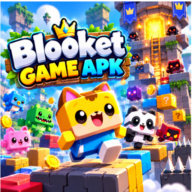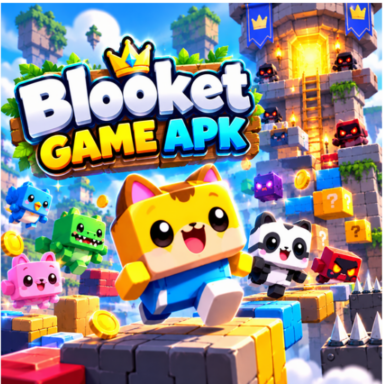
Blooket Game Play is an adventure game featuring colorful Blooks, exciting challenges, and multiple difficulty levels. Explore endless levels, choose your favorite characters, and try to escape the tower while avoiding enemies. Enjoy HD graphics, engaging gameplay, and a battery-friendly experience on compatible Android devices.
This lightweight game offers easy, medium, and hard challenges for players seeking casual entertainment. Discover its features, gameplay, Android requirements, APK details, and installation information on TurboAPKS.com.
What Is Blooket Game?
Blooket Game is an online educational platform that combines quizzes with games. It allows teachers and students to use question sets in different game formats. Instead of simply answering questions on a worksheet, players respond to questions while participating in an interactive game. The platform is designed mainly for classroom learning, revision, and educational practice. Teachers can select questions from an existing library or create their own sets based on subjects such as mathematics, science, English, history, and general knowledge.
One of the most interesting things about Blooket is that the same question set can be used with different game modes. This means a teacher can use one set of questions for several activities without creating a completely new quiz each time. For example, imagine a teacher wants students to practise multiplication. The teacher can prepare questions about multiplication tables and start a game. Students answer questions to make progress, earn rewards, or compete with other players, depending on the selected mode. Blooket can be accessed through its official website, so users can play through a compatible web browser without necessarily installing a separate application.
Why Choose Blooket Game?
There are several reasons why teachers and students may choose Blooket Game instead of traditional quiz activities.
1. Learning Becomes More Interesting
Traditional revision can sometimes feel repetitive. Blooket adds game elements that encourage students to participate and keep practising.
For example, instead of answering 20 mathematics questions on paper, students can answer the same questions during an exciting classroom competition.
2. Different Ways to Play
Blooket offers different game modes with different objectives. Some focus on answering questions quickly, while others include strategy, rewards, or building activities.
This variety can help teachers keep classroom activities fresh.
3. Teachers Can Create Their Own Questions
Teachers are not limited to the questions already available on the platform. They can create question sets that match their lessons, students’ learning levels, and classroom goals.
4. Useful for Classroom Revision
Teachers can use quizzes to review previously taught lessons before an examination. Students can practise important concepts while teachers observe their performance.
5. Browser-Based Access
Blooket works through a web browser. Students can generally join a hosted game using the game code provided by their teacher, making it convenient for classrooms with compatible devices and internet access.
Main Features of Blooket Game
Blooket combines quiz questions, interactive gameplay, and learning activities. Here are some of its important features.
Question Set Library
The platform provides a library of question sets covering different topics. Teachers can explore existing material instead of creating every quiz from scratch.
The usefulness of a set depends on its accuracy, difficulty, and relevance to the lesson.
Custom Question Creation
Teachers can prepare their own quizzes by adding questions and answer choices.
For example, an English teacher could create a quiz about grammar, vocabulary, punctuation, or sentence structure.
Custom questions allow teachers to focus on the topics their students need to practise.
Multiple Game Modes
Different game modes change how players interact with questions. Some modes reward correct answers with points, while others use resources, challenges, or strategic decisions.
This feature makes it possible to reuse a question set in different ways.
Blooks and Collectibles
Blooks are collectible characters associated with the platform. Players may unlock or collect them through supported features and reward systems.
These collectibles add another layer of interest for students who enjoy collecting virtual items.
Live Classroom Games
Teachers can host games that allow students to participate from their own devices.
Depending on the selected mode and settings, students may compete individually or participate in team-based activities.
Homework and Independent Practice
Blooket supports certain activities that students can complete outside a live classroom session.
Teachers can use supported assignments to give students additional practice after a lesson. Available options may depend on the selected mode and current platform features.
Game Reports
Blooket provides reporting features that help teachers review student performance.
These reports can help identify topics that students understand well and areas where they may need additional explanation.
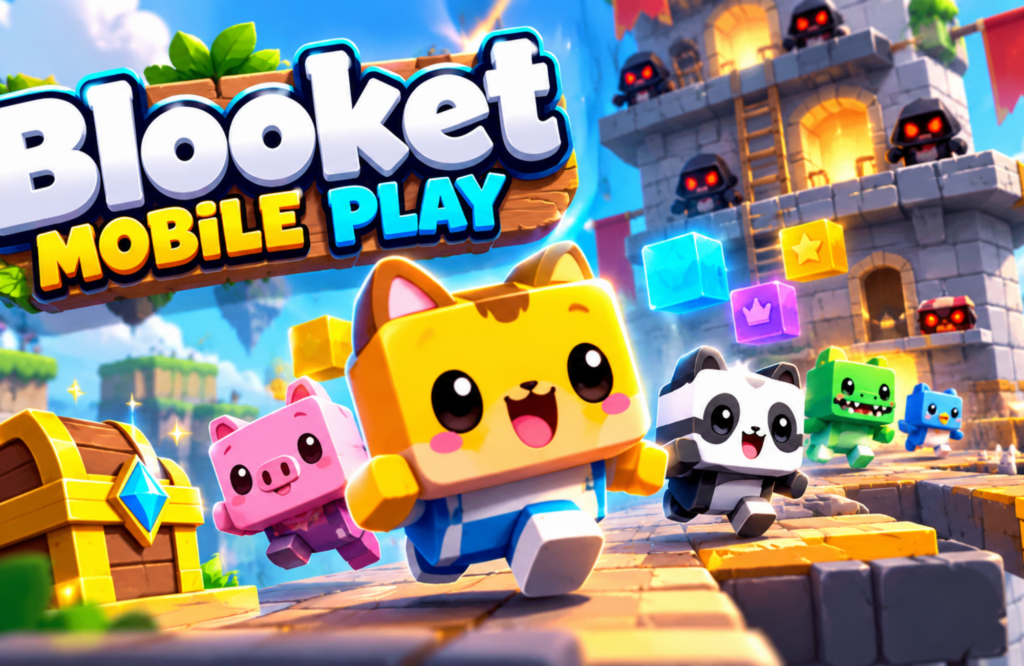
Image of the Blooket Game
Popular Blooket Game Modes
Blooket offers different gameplay experiences. The available modes can change over time, so users should check the platform for the latest selection.
Here are examples of well-known modes and how they work.
Classic
Classic focuses on answering questions and competing for points. It can be useful when a teacher wants to organise a straightforward quiz competition.
Gold Quest
Gold Quest combines answering questions with rewards and treasure-related decisions. Its luck-based elements can make the outcome less predictable.
Tower Defense
Tower Defense combines quiz answering with strategic gameplay. Players use game resources to develop defences and progress through the activity.
This mode may appeal to students who enjoy planning and strategy.
Café
Café introduces a restaurant-style setting in which players manage customers and resources while answering questions.
It provides a different experience from a traditional question-and-answer competition.
Factory
Factory involves managing production and making decisions within the game’s system. Correct answers help players make progress.
Racing
Racing turns answering questions into a competition to reach the finish line. It can be useful for quick classroom revision and friendly competition.
Teachers should choose a mode based on their learning objective, the students’ age group, and the time available.
How to Play Blooket Game?
Getting started is relatively simple. Follow these steps to understand how a typical hosted game works.
Step 1: Visit the Official Website
Open a web browser and visit the official Blooket website.
Make sure you are using the correct website rather than an unofficial page claiming to provide special versions of the platform.
Step 2: Choose Your Role
Teachers who want to create and host activities can explore the educator features.
Students can join a hosted game by following their teacher’s instructions. An account may be needed for certain features, but joining a hosted game does not always require creating one.
Step 3: Find or Create a Question Set
Teachers can search the available question library or create a new set.
Choose questions that match the lesson and avoid material that is too easy or too difficult for the students.
Step 4: Select a Game Mode
Choose an available mode that suits the classroom activity.
For example, Racing may work well for a short revision session, while a strategy-based mode may be more suitable for a longer activity.
Step 5: Start the Game
The host starts the activity and shares the joining instructions or game code with students.
Students use the provided information to enter the correct game.
Step 6: Answer Questions
Players read the questions and select their answers.
Correct answers help them progress through the activity, although the exact rewards and objectives depend on the game mode.
Step 7: Review the Results
After the activity, teachers can review available results and discuss difficult questions with the class.
This final step is important because the goal should be learning, not simply winning the game.
Tips for Using Blooket Effectively
Playing educational games can be enjoyable, but using them with a clear learning goal makes them more useful.
Choose Questions That Match the Lesson
Before starting a game, make sure the questions cover the subject you want students to learn.
A mathematics revision session should focus on mathematics rather than unrelated general knowledge.
Avoid Making Every Activity a Competition
Competition can motivate some students, but others may feel uncomfortable when their performance is constantly compared with classmates.
Teachers can create a more supportive environment by celebrating improvement, effort, and teamwork.
Explain Incorrect Answers
When a student answers incorrectly, use the question as a learning opportunity.
For example, if a student chooses the wrong answer to a science question, explain the correct concept before moving forward.
Use Short Sessions
A short quiz can work well as a warm-up activity, a lesson review, or a quick knowledge check.
Long sessions may distract students from the main learning objective, so teachers should choose an appropriate duration.
Check the Difficulty Level
Questions should match the students’ current knowledge.
If a quiz is too difficult, students may become frustrated. If it is too easy, they may lose interest.
Review Performance After Playing
Teachers should look beyond the final scores. Understanding which questions caused problems can help them plan better lessons.
Blooket Game Security and Privacy
Safety is important when using any online learning platform, especially when children are involved.
Blooket Game publishes a privacy policy explaining how it handles information. However, parents, teachers, and students should still understand the basic precautions associated with online activities.
Use the Official Website
Always use the official platform for accessing games and managing accounts.
Avoid unfamiliar websites that promise free rewards, unlimited collectibles, or special access in exchange for account information.
Protect Personal Information
Students should avoid sharing their home address, phone number, passwords, or other private information through usernames, chat services, or external websites.
Use a suitable username when joining a game.
Be Careful With Third-Party Tools
Unofficial tools that claim to provide cheats, automated answers, or unlimited rewards may introduce security risks or violate platform rules.
Do not download unknown files or browser extensions simply to change the way a game works.
Follow School Rules
Teachers and students should follow their school’s technology policies and any applicable account requirements.
Parents can also review the platform’s privacy information to understand what data may be collected and how it is handled.
Remember That Online Platforms Have Limits
No online service can guarantee complete protection against every possible risk. Use appropriate privacy settings, protect account details, and report suspicious activity when necessary.
For current details, review the privacy policy published on Blooket’s official website.
Advantages and Disadvantages of Blooket Game
Before choosing an educational gaming platform, it is useful to understand both its strengths and its limitations.
Pros
- Makes classroom revision more interactive.
- Offers different game modes for different learning activities.
- Allows teachers to create their own question sets.
- Provides access to an existing question library.
- Supports live classroom games.
- Can help students practise important concepts.
- Includes collectibles that may encourage participation.
- Provides reports that can help teachers review performance.
- Can be accessed through a compatible web browser.
Cons
- Requires a suitable internet connection for online play.
- Some students may focus more on winning than understanding the material.
- Competitive gameplay may not suit every learner.
- Some game modes include luck, which can influence results.
- Teachers need to check the accuracy of questions before using them.
- Screen time can become excessive without reasonable limits.
- Some features may have restrictions depending on the account or subscription plan.
- The platform may not be suitable for every lesson or learning objective.
Overall, Blooket Game can be a useful learning tool when teachers combine gameplay with clear explanations and meaningful practice.
Best Blooket Game Alternatives
Blooket Game is not the only platform that combines quizzes with interactive learning. Several alternatives offer different features and learning experiences.
The best option depends on whether you want live competitions, independent revision, classroom teamwork, or more traditional assessments.
1. Kahoot!
Kahoot! is an educational platform that lets teachers create and host interactive quizzes. It is particularly suitable for classroom competitions in which students answer questions and compare their results.
Best for: Live classroom quizzes, group activities, and quick knowledge checks.
How it differs: Kahoot! is well known for its quiz-show style, while Blooket Game offers a wider variety of game-style activities built around question sets.
2. Gimkit
Gimkit combines educational questions with game mechanics and strategic decisions. Players can earn in-game resources and use them to make progress, depending on the selected mode.
Best for: Students who enjoy strategy and repeated question practice.
How it differs: Gimkit places particular emphasis on its in-game economy and progression systems.
3. Wayground
Wayground, formerly known as Quizizz, supports interactive quizzes and learning activities. Teachers can use it for classroom practice and certain independent assignments.
Best for: Teachers who want quiz activities, homework, and assessment features.
How it differs: Wayground offers a strong focus on assessments and student-paced activities.
4. Quizlet
Quizlet provides study tools such as digital flashcards and practice activities.
It can be useful for learning vocabulary, remembering definitions, and revising facts.
Best for: Independent studying, memorisation, and vocabulary practice.
How it differs: Quizlet focuses more on study and revision tools than on arcade-style classroom gameplay.
5. Wordwall
Wordwall lets educators create interactive activities using different templates. Depending on the activity, students can practise matching, sorting, quizzes, and other learning tasks.
Best for: Teachers who want to create varied classroom exercises.
How it differs: Wordwall focuses on reusable activity templates rather than the same style of game experience offered by Blooket Game.
Which Alternative Should You Choose?
Consider your main goal before selecting a platform.
- Choose Blooket if you want varied game modes built around quiz questions.
- Choose Kahoot! if you prefer a traditional live quiz competition.
- Choose Gimkit if you enjoy strategic gameplay and in-game rewards.
- Choose Wayground if you need a platform with assessment and assignment options.
- Choose Quizlet if you mainly want to study vocabulary and remember information.
- Choose Wordwall if you want to create different types of interactive exercises.
Each platform has its own advantages, and free features or account requirements may change. Check the official websites before making a decision.
Frequently Asked Questions About Blooket Game
Q.1 Is Blooket Game free to use?
Blooket Game offers free access to core features, with additional features available through paid plans. The exact limits and benefits may change, so check the official website for current information.
Q.2 Is Blooket Game safe for students?
Blooket provides privacy information and features designed for educational use. However, students should protect their personal information, use the official website, and follow their school’s online safety rules.
Parents and teachers should review the platform’s current privacy policy before using it with children.
Q.3 Can I play Blooket Game without creating an account?
Students can generally join hosted games using a game code without creating an account. However, hosting games, saving question sets, and accessing other features may require an account.
Q.4 How do I join a Blooket Game?
Open the official Blooket Game website and follow the instructions provided by your teacher. Enter the game code when requested, choose an appropriate username, and join the activity.
Q.5 Can teachers create their own quizzes?
Yes. Teachers can create custom question sets or select existing sets from the platform’s library.
This makes it possible to prepare quizzes for different subjects, lessons, and age groups.
Q.6 Can Blooket Game help students prepare for exams?
Yes, it can support exam preparation by helping students practise questions and review important topics.
However, it should be used alongside proper studying, reading, written practice, and teacher explanations rather than as a complete replacement for them.
Q.7 Does Blooket Game work on mobile devices?
Blooket Game is browser-based and can be accessed on compatible mobile devices. The experience may vary depending on the device, browser, internet connection, and selected game mode.
Conclusion
Blooket Game combines educational quizzes with interactive games to make classroom revision more enjoyable. It gives teachers the flexibility to create question sets, choose different game modes, and review student performance. Students can use the platform to practise subjects, test their knowledge, and participate in friendly competitions. However, the best results come when games support real learning rather than replace traditional study methods.
Before choosing an educational platform, consider your learning goals, the available features, privacy requirements, and the needs of your students. If you are looking for an engaging way to practise questions and make lessons more interactive, Blooket is worth exploring. Try different activities, focus on understanding the answers, and choose the learning method that works best for you.