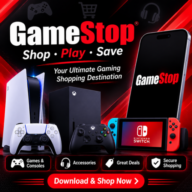
Game Stop is a gaming shopping app designed to help users explore video games, gaming consoles, accessories, and products for gamers.
The App makes gaming shopping more convenient with access to available products and offers. It has over 500K downloads on Google Play and was updated on October 23, 2026, according to the provided listing.
The app’s data safety information states that it may collect location and personal information and share certain data with third parties. Learn about GameStop features, shopping benefits, security, alternatives, and important tips before using the app on your device.
What Is Game Stop?
GameStop is a gaming retail business where customers can explore video games, gaming consoles, accessories, and other gaming-related products. Its official website allows customers to browse available products and learn about current offers. The company also provides trade-in services for eligible games, consoles, and selected electronic devices. Official GameStop Trade-In Page
Many gamers use Game Stop to discover new releases, purchase gaming accessories, compare products, and find options for exchanging eligible used items. It is important to understand that GameStop is a retailer, not a single Android game or an APK file. If you are searching for a mobile game called Game Stop, check the developer’s name and the exact app listing before downloading anything.
Why Choose Game Stop?
Choosing a gaming retailer depends on your budget, preferred gaming platform, and the products you need. Game Stop offers several services that may be useful to people who enjoy gaming.
1. A Wide Range of Gaming Products
Customers can explore different types of gaming products, including video games, consoles, controllers, headsets, and selected accessories. Product availability depends on the website, location, and current stock.
2. Options for Buying Games
Gamers can browse products for different platforms and look for games that match their interests. Depending on availability, they may find new releases, older titles, and pre-owned products.
3. Trade-In Services
One useful service is the option to exchange eligible gaming products and certain electronics for cash or store credit, depending on the applicable program and location. The final offer can depend on the product’s condition and eligibility.
4. Online Shopping Convenience
The official website helps customers explore products without visiting a physical store first. They can review product information, check available offers, and look for store or delivery options where supported.
5. Gaming Accessories
A gaming setup often needs more than a console. Controllers, headsets, charging accessories, and other equipment can improve convenience and comfort during gameplay.
Features of Game Stop
Here are some important features of the Game Stop retail service.
Gaming Consoles
Customers can look for consoles from popular gaming brands, including PlayStation, Xbox, and Nintendo. Specific models and prices depend on current availability.
Video Games
The selection may include action, adventure, sports, racing, role-playing, and family-friendly games. Customers should check the platform requirements before purchasing a title.
Pre-Owned Products
Eligible pre-owned games and devices may offer an alternative to buying brand-new products. Before purchasing, review the item’s condition, included accessories, warranty information, and return policy.
Trade-In Options
Eligible products may be exchanged for cash or store credit under the applicable trade-in terms. The value is not guaranteed until the item has been assessed.
Gaming Accessories
GameStop may offer controllers, headsets, keyboards, microphones, and other gaming equipment. Availability differs between product categories and locations.
Promotions and Special Offers
Customers can check the official website for current promotions, bundles, discounts, and other offers. Always read the conditions because some deals apply only to selected products.
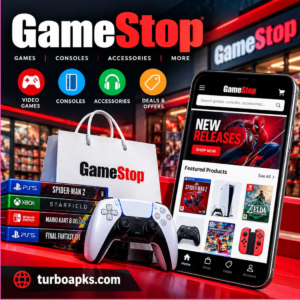
Image of the Game Stop
How to Use Game Stop?
If you are new to Game Stop, follow these simple steps to explore its services.
- Visit the official website: Open GameStop.com using your browser.
- Choose a product category: Look for games, consoles, accessories, or other available products.
- Search for your preferred item: Enter the product name in the website’s search box.
- Review product details: Check the platform, condition, price, included accessories, and availability.
- Compare your options: Look at similar products before deciding which one best fits your needs.
- Review the purchase conditions: Check shipping charges, payment methods, return rules, and warranty details.
- Complete your order if suitable: Follow the official website’s checkout instructions.
The exact shopping options may vary by country. A product listed on the US website may not be available for delivery to Pakistan or another international destination.
Tips for Using Game Stop
These practical tips can help you make better gaming purchases.
Compare Prices Before Buying
Do not purchase the first product you find. Compare prices from reputable retailers and consider the total cost, including shipping and taxes.
Check Platform Compatibility
A PlayStation game may not work on an Xbox console or a standard Windows computer. Confirm that the game supports your device before purchasing it.
Understand Pre-Owned Products
If you buy a used game or accessory, read its condition details carefully. Check whether the item includes all necessary parts and whether any warranty applies.
Read the Return Policy
Before placing an order, understand the return period, refund conditions, and any restrictions on opened games or digital products.
Check Trade-In Values
If you want to exchange an old console or game, check the estimated value first. Remember that the final offer may change after an in-person inspection.
Use Official Websites
Type the website address carefully and avoid suspicious advertisements that imitate a retailer’s branding. Never share account passwords or verification codes with someone claiming to offer a special deal.
Security: Is Game Stop Safe to Use?
This Game official website is the appropriate starting point for browsing its products and services. However, safe shopping also depends on using the correct website, protecting your account, and understanding the terms of each purchase. Here are some basic safety practices:
- Check the website address: Use the official website or a verified regional website.
- Protect your account: Use a strong, unique password and enable additional account protection when available.
- Use secure payment methods: Follow the payment options provided by the legitimate retailer.
- Avoid suspicious downloads: GameStop is a retailer, not an APK download file. Be careful with websites offering unrelated files under its name.
- Check product authenticity: Review the seller, product condition, and warranty details, particularly when shopping through third-party marketplaces.
- Protect personal information: Do not send payment details or login codes to unknown people.
No online service is completely free from risk. Review the privacy policy and shopping terms before providing personal or payment information.
Game Stop Alternatives
If Game does not have the product you want, several alternatives may help you find games, consoles, and digital downloads.
1. Amazon
Amazon is an online marketplace where customers can search for gaming consoles, accessories, and physical games. Availability, sellers, shipping, and return conditions depend on the listing and country.
2. Best Buy
Best Buy is an electronics retailer that offers gaming products in supported markets. Customers can explore consoles, accessories, and selected games.
3. Walmart
Walmart sells a range of consumer electronics and gaming products in markets where its services operate. Check local availability before ordering.
4. PlayStation Store
The PlayStation Store is an official digital storefront for compatible PlayStation games and downloadable content. It is useful for customers who prefer digital purchases instead of physical discs.
5. Xbox Store
The Xbox Store lets supported users browse and purchase digital games, add-ons, and other Xbox content. Check your account region and device compatibility before purchasing.
6. Nintendo eShop
The Nintendo eShop is the digital storefront for supported Nintendo systems. It provides access to eligible digital games and downloadable content.
Which Alternative Is Best?
The right choice depends on what you need. For example, someone looking for a physical console may prefer a local electronics retailer, while someone who wants an instant digital download may prefer the official store for their gaming platform.
Always compare the final price, regional availability, return conditions, and seller reliability.
Pros and Cons of Game Stop
| Pros | Cons |
|---|---|
| Offers a range of gaming products | Availability varies by location |
| Provides trade-in options for eligible items | Trade-in values may be lower than expected |
| Offers selected new and pre-owned products | Pre-owned condition can vary |
| Lets customers browse products online | Shipping may add extra costs |
| Carries selected gaming accessories | Not every product is available in every store |
| Provides promotions on selected products | Offers may have restrictions |
Who Should Use Game Stop?
Game may be useful for several types of customers:
- Console gamers: People searching for games, consoles, and compatible accessories.
- Budget-conscious buyers: Customers comparing new and eligible pre-owned products.
- Gaming collectors: People searching for older or special-edition games when available.
- People upgrading their setup: Gamers who want new controllers, headsets, or other equipment.
- Customers with unused gaming products: People interested in checking whether eligible items can be traded in.
However, international shoppers should first confirm whether the retailer ships to their country or whether a trusted local seller offers a more convenient option.
Frequently Asked Questions About Game Stop
1. What is GameStop used for?
GameStop is used to browse and purchase gaming products, including video games, consoles, accessories, and selected electronics. It also offers trade-in services for eligible items under its applicable terms.
2. Is GameStop a game or an app?
GameStop is primarily a gaming retail business, not one specific video game or an APK file. If you mean an app with a similar name, verify its exact name and developer.
3. Can I trade in old video games?
Yes, eligible games and certain gaming products may qualify for trade-in. Acceptance and value depend on the item’s condition, the applicable program, and the participating location.
4. Can I buy gaming consoles from GameStop?
GameStop lists gaming consoles and related products through its retail channels. The available models and purchasing options can vary by location and stock.
5. Does GameStop sell pre-owned games?
Selected pre-owned games and other eligible products may be available. Check the product listing for condition, included items, and applicable return or warranty terms.
6. Is GameStop available in Pakistan?
Availability depends on the specific GameStop website and its delivery policy. International customers should confirm shipping eligibility before placing an order. A local retailer may be a more practical option.
Conclusion
Game Stop is a gaming retail business that helps customers explore video games, consoles, accessories, selected pre-owned products, and trade-in opportunities. Its usefulness depends on the products you need, your location, the available offers, and the conditions of each purchase.
Before buying, compare prices, check device compatibility, review return policies, and confirm delivery availability. If you cannot find the right product, consider a reputable alternative or the official digital store for your gaming platform. For readers visiting TurboApks.com, the most important point is to understand the difference between a gaming retailer and a downloadable mobile game. Checking the exact product name and official source will help you find the right service and avoid misleading downloads.