PUBG Mobile Update is an exciting battle royale shooter where players fight to survive, explore maps, collect weapons, and compete in solo, duo, or squad matches. Explore popular battlegrounds like Erangel, Sanhok, Livik, and Vikendi, with Classic Mode, Arena, Metro Royale, and other available game modes. Customize touch controls, improve your aim in Training Mode, and coordinate with teammates using in-game voice chat.
Discover Royale Pass rewards, seasonal events, weapon upgrades, and security features designed to support fair play. Get the latest version information, Android compatibility details, installation instructions, and gameplay tips to enhance your mobile gaming experience.
What Is PUBG Mobile Update?
PUBG Mobile Update is a free-to-play multiplayer battle royale game developed by LightSpeed Studios and published by Level Infinite, with KRAFTON involved in the original PUBG franchise. It is based on the popular PUBG: BATTLEGROUNDS game. In a standard battle royale match, up to 100 players land on an island, collect weapons and supplies, and fight to survive. The playable area gradually becomes smaller, forcing players to move closer together. The last player or team standing wins the match.
Players can enjoy different maps, including Erangel, Livik, and Sanhok, depending on the available game modes and current version. The game offers several ways to play, including solo matches, duo battles, and squad matches. Players can also participate in special events, competitive ranked matches, and creative experiences.
Latest PUBG Mobile Version and Update Details
The latest official version information available for this guide includes Version 4.6, which introduced the Midnight Hunters themed mode. According to the official announcements, the Version 4.6 update began rolling out on September 8, 2026. Availability and rollout timing may vary by region and device. Here are some important details about the update:
| Detail | Information |
|---|---|
| Game Name | PUBG Mobile |
| Version Covered | Version 4.6 |
| Main Themed Mode | Midnight Hunters |
| Game Type | Battle Royale and Multiplayer Shooter |
| Supported Platforms | Android and iOS |
| Developer | LightSpeed Studios |
| Publisher | Level Infinite |
| Price | Free to play, with optional in-game purchases |
| Download Sources | Google Play Store, Apple App Store, and official PUBG Mobile website |
Important: A newer version or beta release may become available after publication. Always check the official game announcements or your device’s app store to confirm the latest stable release.
What’s New in the Latest Version?
The Version 4.6 update introduced several changes designed to make battles more exciting and give players new activities to explore.
1. Midnight Hunters Themed Mode
One of the main additions is Midnight Hunters, a themed experience featuring hunters and vampires. This mode introduces a different atmosphere to familiar battle royale environments. Players can explore special areas, encounter themed enemies, and participate in limited-time activities.
The experience adds variety to regular matches and gives players new challenges beyond ordinary gunfights.
2. New Themed Items and Abilities
The update introduces special items associated with the Midnight Hunters experience. These items can provide different combat or movement options, depending on the item and game mode. Players should explore the available mechanics to understand how each item works and when it is most useful.
Remember that special items may only be available in particular modes or during specific events.
3. Special Areas and Environmental Changes
Selected locations have been redesigned to match the themed experience. These areas may contain special objects, enemies, challenges, or opportunities to collect rewards. Exploring them can make matches more interesting, but it can also expose players to opponents looking for the same rewards.
Check your surroundings before entering an unfamiliar area.
4. Classic Mode Improvements
Classic Mode remains an important part of the game. The Version 4.6 update included a portable inflatable boat and other gameplay adjustments. Weapon balancing and resource improvements can also affect how players approach different situations.
Such changes are important because even small adjustments can influence weapon choices, movement strategies, and team coordination.
5. Ocean Odyssey Returns
The Ocean Odyssey themed mode also returned for a limited time during the Version 4.6 period.
This experience brought back underwater-inspired environments and special themed gameplay. Its availability depends on the event schedule, so players should check the in-game events page before looking for it.
6. World of Wonder Content
World of Wonder provides creative experiences that allow players to explore different kinds of gameplay. The Version 4.6 period included Halloween-themed content and changes to selected creative experiences.
These activities give players something different to try when they want a break from traditional battle royale matches.
7. Seasonal Rewards and Events
Game updates often bring new missions, cosmetic items, event rewards, and seasonal activities. Some rewards can be earned by completing missions, while others may require participation in special events or purchases.
Before spending money, review the reward conditions and check whether an item is available for free.
Why Choose PUBG Mobile Update?
PUBG Mobile Update offers several reasons why players continue to enjoy it.
Competitive Gameplay
Every match presents a different challenge. You must decide where to land, which equipment to collect, when to fight, and when to move to a safer position.
These decisions make the game more than a simple shooting experience.
Play With Friends
You can team up with friends in duo or squad matches.
Communication helps teammates share supplies, warn each other about enemies, and plan their movements. Playing with a coordinated team can make matches more enjoyable.
Different Maps and Environments
The game features multiple environments with different layouts and combat opportunities. Some locations are better for close-range battles, while others offer more space for long-range engagements.
Learning the maps can help you make better decisions during matches.
Regular Events and New Content
The developers introduce seasonal activities, collaborations, themed modes, and other additions throughout the year.
These events give players new objectives and reasons to return to the game.
Different Ways to Play
You do not have to play the same mode every time. Depending on availability, you can choose classic battles, ranked matches, arena combat, Metro Royale, or creative experiences.
This variety helps players find a style that suits their interests.
Key Features of PUBG Mobile Update
Here are some of the main features that make the game popular.
1. Battle Royale Matches
Compete against other players and try to survive until the end of the match.
2. Multiplayer Team Battles
Play with friends and work together to defeat other teams.
3. Realistic Weapons
Choose from different weapons, including assault rifles, shotguns, sniper rifles, and submachine guns.
4. Multiple Maps
Explore different battle environments, each offering unique locations and strategies.
5. Vehicles
Use available vehicles to travel across maps, escape dangerous areas, or move your team.
6. Custom Controls
Adjust the control layout and sensitivity settings to suit your playing style.
7. Graphics Settings
Choose from the graphics options supported by your device. Available settings vary by phone model and game version.
8. Voice Chat
Communicate with teammates during supported multiplayer matches.
9. Ranked Matches
Compete in ranked modes and work toward improving your rank.
10. Special Events
Participate in limited-time activities and try to unlock available rewards.
11. Character Customization
Customize your character using available outfits, accessories, and other cosmetic items.
12. Regular Improvements
Updates may introduce bug fixes, balance changes, performance improvements, and new content.
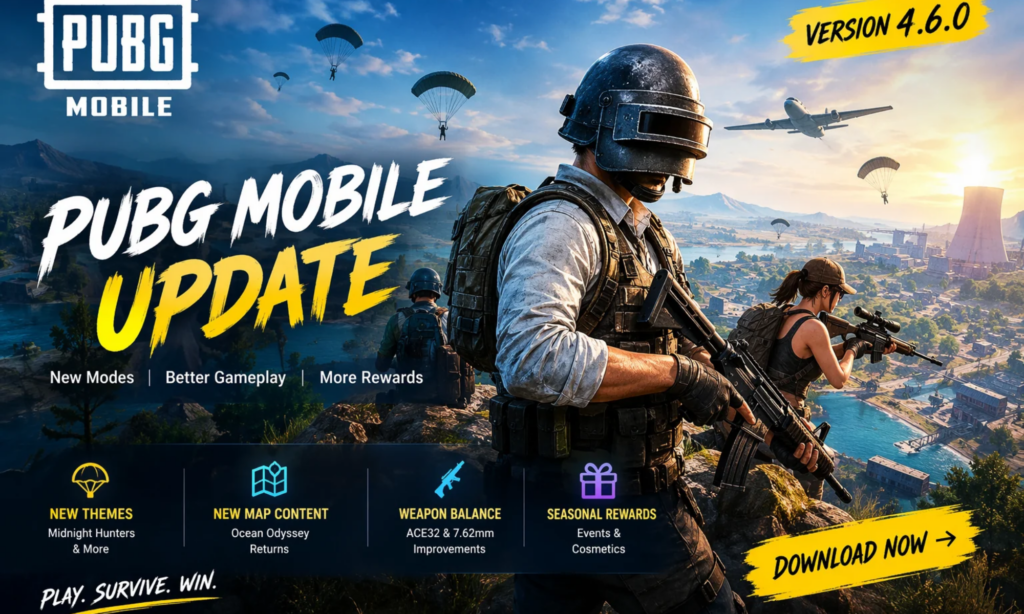
Image of the PUBG Mobile Update
How to Download and Install the Latest Version?
If you want to install the game or update an existing installation, follow these steps.
Method 1: Update Through Google Play Store
- Open the Google Play Store on your Android phone.
- Search for PUBG Mobile Update.
- Open the official game listing.
- If an update is available, tap the Update button.
- Wait for the download to finish.
- Open the game and allow any additional resources to download.
- Follow the on-screen instructions to start playing.
You can find the official Android listing here: Google Play Store: https://play.google.com/store/apps/details?id=com.tencent.ig
Method 2: Update Through Apple App Store
- Open the App Store on your iPhone or iPad.
- Search for PUBG Mobile Update.
- Open the official listing.
- Tap Update if the option is available.
- Wait until installation finishes.
- Launch the game and check for any additional downloads.
Official iOS listing: Apple App Store: https://apps.apple.com/pk/app/pubg-mobile/id1330123889. Availability may vary by country and account region.
Method 3: Download From the Official Website
You can also visit the official PUBG Mobile Update website to find the game’s supported download options. Official website: https://www.pubgmobile.com/en-US/. Always verify that you are using the genuine website and the correct regional version.
What If the Update Is Not Available?
Sometimes an update does not appear immediately. Try these steps:
- Check your internet connection.
- Search for the game again in the app store.
- Restart your phone.
- Check whether the update is rolling out gradually in your region.
- Make sure your device has enough free storage.
- Visit the official announcements page for release information.
Avoid downloading unknown files simply because an unofficial website claims to offer a newer version.
System Requirements and Storage
The exact system requirements depend on the version, operating system, and device.
Before installing the game, make sure your phone supports the current release.
Android Devices
Check the following:
- Your Android version is supported.
- Your phone has enough free storage.
- Your device has sufficient memory to run the game smoothly.
- Your processor and graphics hardware meet the game’s requirements.
- Your internet connection is stable.
iPhone and iPad
Check that your device runs a supported version of iOS or iPadOS and has enough available storage.
The app store listing provides the current compatibility information for Apple devices.
How Much Storage Do You Need?
There is no single storage requirement that applies to every version and device. The initial download may be smaller than the total space required after installing additional maps, graphics resources, and other game files.
Keep some extra storage available so the game can download updates without running into space problems.
Tips for Using PUBG Mobile Update After an Update
After installing a new version, you may notice changes to gameplay, events, or settings.
These tips can help you adjust.
1. Read the Update Notes
Check the official patch notes to understand what has changed.
For example, if a weapon has been adjusted, you may need to change how you use it during combat.
2. Explore New Modes
Try the available themed modes before returning to ranked matches.
This gives you time to learn new mechanics without immediately worrying about your rank.
3. Adjust Your Sensitivity Settings
Sensitivity controls how quickly your aim and camera move.
If your aim feels different after an update, test your settings in a training area before playing competitive matches.
4. Check Your Graphics Settings
If the game begins to lag, lower the graphics quality or select a supported performance-focused option.
A smooth frame rate is often more helpful during combat than using the highest graphics settings.
5. Use Headphones Carefully
Sound can help you notice nearby footsteps, vehicles, and gunfire.
Use a comfortable volume and take breaks to protect your hearing.
6. Communicate With Your Team
Share information about enemy locations, available supplies, and safe routes.
Good communication can help your team avoid unnecessary fights.
7. Manage Your Resources
Collect ammunition, healing items, and protective equipment without carrying unnecessary supplies.
Think about what you actually need for the next stage of the match.
8. Protect Your Account
Use the official login methods available to you, keep your account details private, and avoid sharing verification codes.
Never give your password to someone who promises free rewards.
Security: Is PUBG Mobile Update Safe to Download?
The game can be downloaded through official distribution channels, but your safety also depends on where you obtain the files and how you protect your account.
The safest approach is to use the official app store or the game’s official website.
Avoid Unofficial Modified APK Files
Some third-party websites advertise modified versions that promise unlimited currency, unlocked premium items, improved aim, or other advantages. These claims may be misleading. Modified files can contain harmful software, steal personal information, or compromise your game account.
They may also violate the game’s rules and result in account restrictions or bans.
Protect Your Login Information
Never share your password or verification codes with strangers. Be careful with websites that ask you to log in to claim free UC, skins, or other rewards.
Use only trusted login pages and official game services.
Keep Your Device Updated
Install operating system security updates when available.
Review app permissions and avoid granting unnecessary access to unknown applications.
Use Trusted Download Sources
For a safer experience, download the game from its official Google Play Store or Apple App Store listing when available in your region.
You can also consult the official PUBG Mobile Update website for supported download options.
Common Update Problems and Their Solutions
Players sometimes experience problems after installing a new version. Here are common issues and simple ways to address them.
Update Download Is Stuck
Check your Wi-Fi or mobile data connection.
Make sure your phone has enough storage and try the download again. If the problem continues, check whether the app store or game service is experiencing an issue.
The Game Crashes After Updating
Restart your device and close unnecessary background applications. Make sure your operating system is supported and that you installed the official game version.
On Android, you can consider clearing the game’s cache through your phone settings. Menu names vary by device. Avoid clearing app data or reinstalling the game without first confirming that your account is properly linked and your progress is protected.
The Game Has High Ping
Ping measures how long information takes to travel between your device and the game server.
A high ping can cause delays during battles. Try using a stable internet connection, selecting the appropriate server region where supported, and closing applications that use large amounts of bandwidth.
The Game Runs Slowly
Lower your graphics settings, close background apps, and make sure your device is not overheating.
Avoid playing while your phone is extremely hot, especially during charging.
The New Version Is Missing From the Store
The update may not have reached your region yet.
Check the official announcements and wait for the rollout rather than installing an unverified package.
PUBG Mobile Update Alternatives
Some players look for alternatives because they want different maps, gameplay styles, graphics, or lighter games for their devices.
Here are a few options worth exploring.
1. BGMI
Battlegrounds Mobile India is a regional battle royale game intended for the Indian market. It offers familiar battle royale mechanics, although availability and services differ by region.
It may be suitable for players looking for a similar experience within its supported market.
2. Call of Duty: Mobile
Call of Duty: Mobile offers multiplayer shooting modes, competitive matches, and battle royale gameplay.
It may appeal to players who enjoy different weapon types, faster action, and a range of multiplayer experiences.
3. Free Fire
Free Fire offers shorter battle royale matches and gameplay designed around relatively compact environments.
It can be an option for players who prefer faster matches, although performance depends on the device and version.
4. Fortnite
Fortnite combines shooting, building in supported modes, and battle royale gameplay.
Its availability and installation options depend on your country, device, and supported distribution methods.
5. PUBG: BATTLEGROUNDS
PUBG: BATTLEGROUNDS is the PC and console game that inspired the mobile version.
It may suit players who prefer playing on a computer or supported console rather than a phone.
Which alternative should you choose?
Choose the PUBG Mobile Update that best matches your device, preferred match length, gameplay style, and regional availability. Check the official store or developer website before installing any alternative.
Pros and Cons of PUBG Mobile Update
Like any online game, PUBG Mobile Update has advantages and disadvantages.
Pros
- Offers competitive multiplayer battles.
- Supports solo, duo, and squad gameplay.
- Provides different maps and game modes.
- Introduces seasonal events and new content.
- Allows players to customize their controls.
- Supports voice communication in available modes.
- Is free to download through supported distribution channels.
- Offers a variety of weapons, equipment, and vehicles.
Cons
- Requires an internet connection for online gameplay.
- Updates and additional resources can use significant storage.
- Performance varies between devices.
- Some players may experience lag or connection problems.
- Optional in-game purchases can cost money.
- Some limited-time events are not always available.
- Extended gaming sessions can interfere with sleep and daily responsibilities.
- Unofficial modified files can create security and account risks.
Frequently Asked Questions About PUBG Mobile Update
1. What is the latest PUBG Mobile Update?
Version 4.6 is the latest official version covered in this article, featuring the Midnight Hunters themed mode. Check the official website or your app store for any newer release.
2. Is PUBG Mobile Update free to download?
Yes. The game is free to download through supported official channels. It also offers optional in-game purchases.
3. How can I update PUBG Mobile Update on Android?
Open the Google Play Store, search for the game, and tap Update if an update is available. Follow any additional instructions displayed by the game.
4. Can I update PUBG Mobile Update on an iPhone?
Yes, provided your device and region are supported. Open the Apple App Store, find the official game listing, and install the available update.
5. Why is the PUBG Mobile Update not showing on my phone?
The update may be rolling out gradually, or your device may not meet the requirements for the new version. Check the official announcements and your app store.
6. Will updating the PUBG Mobile Update delete my account?
A normal update through an official store should not delete your account. However, you should ensure your account is properly linked and your login details are secure before making major changes.
7. Can I play PUBG Mobile Update without an internet connection?
No. The main game requires an internet connection because its core gameplay involves online multiplayer matches.
Conclusion
PUBG Mobile Update continues to offer an engaging battle royale experience through competitive matches, different maps, multiplayer teamwork, and limited-time events. Its updates can introduce new themed modes, gameplay changes, special items, and improvements that give players more ways to enjoy the game. The Version 4.6 release introduced Midnight Hunters, featuring a vampire-inspired setting, themed activities, and additional gameplay content. However, the available version and events may change over time, so checking official announcements is the best way to find accurate information.
Before installing an update, make sure your device has enough storage and that you are downloading the game from a trusted source. Protect your account, avoid unofficial modified files, and choose settings that help your phone run the game smoothly. Whether you enjoy playing alone or competing with friends, staying informed about new releases can help you make better decisions and enjoy your gaming experience. For more app guides, installation instructions, gaming news, and useful technology information, visit TurboApks.com.