Netflix Mod is an unofficial modified version of the popular Netflix entertainment app, offering access to a huge library of movies, TV shows, documentaries, and original content. Explore its advertised Premium Unlocked features, 4K HDR streaming, offline downloads, personalized recommendations, multiple entertainment categories, and cross-device viewing.
Discover Netflix APK version 9.88.0, app details, installation considerations, security risks, and legal streaming alternatives before downloading. Learn everything about its features, compatibility, and viewing experience in this complete guide on TurboApks.com.
Key takeaways
- Netfilx Mod offers a variety of features to customize the streaming experience.
- It can improve performance and accessibility for users.
- Installation is straightforward, but users should follow specific steps to ensure proper setup.
What Is Netflix Mod?
Netflix Mod refers to an unofficial modified version of the original Netflix Android application. Netflix develops and maintains the original application, while third parties modify versions without official authorization. Some websites advertise these applications with claims such as premium features, unlocked content, or an improved viewing experience. However, these claims aren’t guaranteed because third-party modifications may not work as advertised.
The official application provides access to movies, TV shows, documentaries, anime, and exclusive original productions through a subscription. Users can browse different categories, create personal profiles, receive recommendations, and enjoy entertainment on supported devices. Unlike the official application, modified versions may have compatibility problems, unexpected errors, and security issues. They may also stop working whenever Netflix changes its application or security systems.
Why Do People Search for It?
Many users search for modified streaming applications because they want more entertainment options and a convenient viewing experience. Understanding their search intent helps explain why this topic receives attention online.
Interest in Premium Features: Some users look for applications advertised with premium features or fewer viewing restrictions. However, these features are not guaranteed to work.
Free Entertainment: People often search for alternatives because they want to reduce their monthly entertainment expenses.
Easy Content Discovery: Users enjoy applications that make it simple to discover movies, trending television shows, and different entertainment categories.
Offline Viewing: Watching entertainment without an internet connection is another popular requirement. The official Netflix application supports downloads for eligible titles and supported plans and devices.
Better Viewing Experience: Some users look for improved video quality, convenient controls, subtitles, and personalized recommendations.
Commonly Advertised Features
Third-party websites may advertise several features for modified streaming applications. Their availability and functionality depend on the specific unofficial version.
1. Entertainment Library
Netflix offers a large collection of movies, television series, documentaries, anime, and original productions. The available library depends on the user’s country and licensing arrangements.
2. Multiple Entertainment Categories
Users can explore different categories, including action, comedy, romance, drama, horror, science fiction, and documentaries.
3. Personalized Recommendations
The official platform recommends movies and television shows based on viewing activity and individual interests.
4. Multiple Language Options
Supported titles offer different audio languages and subtitles, helping viewers enjoy entertainment in their preferred language.
5. User Profiles
Netflix allows users to create separate profiles so family members can receive personalized recommendations and maintain individual viewing experiences.
6. Video Quality Options
Video quality depends on the subscription plan, device compatibility, internet connection, and available content.
7. Offline Downloads
The official application allows eligible users to download selected movies and episodes for offline viewing. Download availability depends on the title, plan, and device.
8. Simple Navigation
The official application provides an organized interface that helps users search for titles, explore categories, and manage their viewing activity.
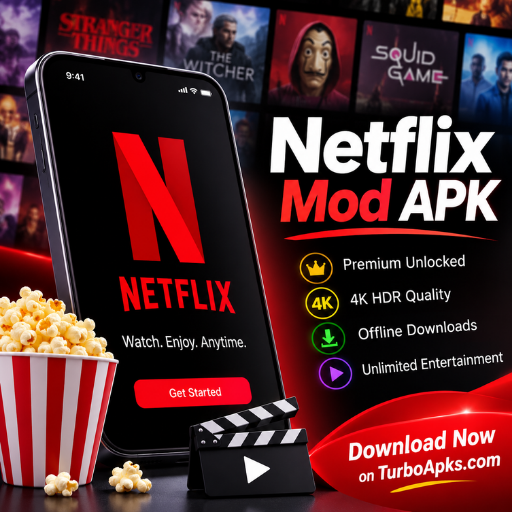
Image of the Netflix Mod
Tips for Using Streaming Applications
A smooth entertainment experience depends on your device, internet connection, and application settings. Here are some useful tips:
-
Use a stable Wi-Fi or mobile internet connection for uninterrupted streaming.
-
Keep your official application updated to receive improvements and security fixes.
-
Choose video quality according to your internet speed.
-
Use subtitles when watching content in another language.
-
Check available storage before downloading movies or episodes.
-
Create separate profiles for different family members.
-
Use parental controls to manage age-appropriate entertainment.
-
Avoid installing modified applications from unknown websites.
-
Never share your Netflix password with untrusted third-party applications.
Security and Privacy
Security is one of the most important things to consider before installing any modified Android application. Unlike the official Netflix application, third-party modifications are not distributed or maintained through Netflix’s official update process. This means users cannot automatically trust their source, developer, or application code. Some unofficial APK files may contain unwanted advertisements, malicious software, tracking components, or code designed to collect personal information. Before installing any application, consider these security recommendations:
Download From Trusted Sources: Prefer official application stores and verified developer websites rather than unknown APK distribution pages.
Check App Permissions: Be careful if a streaming application requests access to contacts, messages, accessibility services, or other information that is not necessary for its basic purpose.
Protect Your Account: Never enter your Netflix login details into an unfamiliar application or website.
Keep Your Device Updated: Install Android security updates and use built-in security protection.
Avoid Unknown Links: Do not open suspicious advertisements, pop-ups, or unexpected download links.
Use Official Applications: The official Netflix application provides a safer and more reliable way to access the streaming service.
Use Cases for Netfilx Mod
The Netfilx Mod is particularly beneficial for users who regularly binge-watch series. With features like intro skipping and customizable playback speeds, users can enjoy their favorite shows without interruptions, making it easier to consume multiple episodes in one sitting. Another use case is for individuals who prefer watching foreign films or shows with subtitles. The enhanced subtitle options allow for better readability and customization, which can significantly improve the viewing experience for non-native speakers or those who rely on subtitles for comprehension.
users with specific accessibility needs can greatly benefit from the mod’s features. For example, those with visual impairments may find the ability to adjust font sizes and colors particularly helpful, while others might appreciate voice navigation options that simplify interaction with the app. Additionally, gamers and tech enthusiasts who often stream content while playing may find the mod’s ability to control playback without disrupting their gaming experience particularly useful. This allows for a seamless transition between activities, enhancing the overall entertainment experience.
How to Install Netfilx Mod?
Installing the Netfilx Mod requires a few straightforward steps. First, users need to ensure that they have a compatible device and the necessary permissions to install third-party applications. This often involves enabling installation from unknown sources in the device settings. Next, users should download the mod from a reputable source to avoid potential security risks. It’s essential to check for reviews or recommendations to ensure the source is trustworthy. Once downloaded, users can open the installation file and follow the on-screen prompts to complete the installation process.
After installation, users may need to configure certain settings within the mod to optimize performance and customize their experience. This could involve setting up preferences for subtitles, playback options, and interface adjustments. Following the setup instructions carefully will ensure that the mod functions correctly and enhances the overall Netflix experience. For those who may be hesitant about modifying their Netflix experience, it’s advisable to back up any important data or preferences before installation. This precaution can prevent any potential loss of settings and ensure a smoother transition to the new modded environment.
Netfilx Mod vs. Other Streaming Mods
When comparing the Netfilx Mod to other streaming mods available, it’s important to consider the specific features and functionalities they offer. Many streaming mods focus on enhancing usability and customization, but the stands out due to its extensive options tailored specifically for Netflix users. For instance, while some mods may provide basic playback controls or interface changes, the typically includes advanced features such as customizable subtitle settings and enhanced accessibility options. This makes it a preferred choice for users who prioritize a personalized viewing experience.
Additionally, the community support and updates for the Netfilx often surpass those of other mods, ensuring that users have access to the latest features and improvements. This ongoing support can be crucial for maintaining a smooth and enjoyable streaming experience. Another distinguishing factor is the level of integration with Netflix’s existing features. The is designed to work smoothly with Netflix’s platform, ensuring that users can enjoy both the modded features and the core functionalities of Netflix without conflicts.
Pros and Cons of Netfilx Mod
Modified streaming applications may attract attention because of their advertised features, but they also come with important limitations.
| Pros | Cons |
|---|---|
| Additional features may be advertised | Features are not guaranteed |
| Some versions claim fewer restrictions | Security risks may be higher |
| May attract users looking for alternatives | No official Netflix support |
| Available through some third-party websites | Compatibility problems may occur |
| Generates interest among streaming enthusiasts | Updates and reliability are uncertain |
Safe Alternatives
If you want a reliable entertainment experience, several official streaming services are worth exploring.
1. Official Netflix App
The original Netflix application provides access to movies, television shows, documentaries, and exclusive productions through an official subscription.
2. Amazon Prime Video
Prime Video offers movies, television series, and original entertainment. Its available content and subscription options depend on the country.
3. YouTube
YouTube provides free and paid entertainment, including movies where available, educational videos, documentaries, and other content.
4. Disney+
Disney+ offers movies and television shows from several entertainment brands. Availability depends on the region.
5. Other Legal Streaming Platforms
Users can also explore locally available streaming services to find entertainment that matches their interests and budget.
Frequently Asked Questions (People Also Ask)
Q.1 Is the Netfilx Mod safe to use?
The safety of the Netfilx Mod largely depends on the source from which it is downloaded. Always ensure you are downloading from a reputable website to minimize security risks.
Q.2 Can I use Netfilx Mod on any device?
The Netfilx is typically compatible with various devices, but users should check specific compatibility requirements before installation.
Q.3 Will using the Netfilx Mod affect my Netflix account?
Using the Netfilx should not affect your Netflix account directly, but it is essential to adhere to Netflix’s terms of service to avoid any potential issues.
Q.4 What features does the Netfilx Mod offer?
The Netfilx offers various features, including customizable subtitles, advanced playback controls, and enhanced accessibility options.
Q.5 How do I uninstall the Netfilx Mod?
Uninstalling Netfilx Mod the typically involves going to your device’s app settings, finding the mod, and selecting the uninstall option.
Conclusion
Netflix Mod remains a popular entertainment platform because of its extensive collection of movies, television shows, documentaries, and original productions. Although unofficial modified applications attract attention through advertisements promising additional features, their functionality and security cannot be guaranteed.
Before installing any third-party application, consider the possible risks to your personal information, device, and streaming account. The official Netflix application is the recommended option for enjoying a reliable entertainment experience with supported features and regular updates. If you are looking for streaming applications, entertainment guides, and useful Android information, keep visiting TurboApks.com for more helpful articles and updates.
Sources and last reviewed
Use official meteorological services, avalanche centres, government science agencies and peer-reviewed research for location-specific guidance. Conditions and forecasts can change rapidly, so check current local information before mountain travel.