Essential Mod is a popular Minecraft Java Edition mod that makes multiplayer gaming easier and more enjoyable. It offers free world hosting, instant friend invitations, in-game chat, cosmetics, emotes, screenshot tools, and character customization.
Compatible with supported versions of Fabric, Forge, and NeoForge, it helps players connect and explore worlds together without complicated server setups. Discover its features, installation process, alternatives, compatibility, safety, pros, and cons in this complete guide.
Key takeaways
- Essential Mod provide additional features and functionalities not available in standard APKs.
- While they offer benefits like enhanced user experience, they also come with risks such as malware and legal concerns.
- Installation of Essential Mod requires careful steps to ensure device security and functionality.
What Is Essential Mod?
Essential Mod is a client-side modification designed for Minecraft Java Edition. It adds social features, free world hosting, character customization, in-game communication, and other useful tools to the original game. Unlike traditional Minecraft modifications that mainly introduce new blocks, weapons, or gameplay mechanics, Essential focuses on making multiplayer gaming and social interaction easier. Players can invite friends to their worlds without setting up a separate dedicated server.
One of its most useful features is its world-hosting system. Your computer acts as the host, allowing invited friends to join your Minecraft world. This makes playing together more convenient, especially for small groups of friends. The modification also includes a social menu, cosmetics, emotes, skin management, and screenshot tools. It works with several popular Minecraft mod loaders, including Fabric, Forge, and NeoForge, depending on the supported game version.
Why Choose Essential Mod for Minecraft?
Many Minecraft players enjoy exploring survival worlds, building houses, collecting resources, and completing challenges with friends. However, connecting with other players can require additional setup.
Essential makes this process easier by bringing several multiplayer and social tools directly into Minecraft.
1. Play With Friends Easily
You can invite friends to your hosted world without creating a traditional dedicated server. This is particularly useful when you want to enjoy a private survival adventure with a small group.
2. Convenient Social Features
The built-in social system allows you to communicate with friends, manage connections, and share invitations without constantly switching between different applications.
3. Character Customization
Players can personalize their Minecraft characters with outfits, cosmetics, and emotes. These options make multiplayer sessions more expressive and enjoyable.
4. Useful In-Game Tools
The modification provides additional convenience through features such as screenshot management and skin switching.
5. Compatibility With Other Mods
Essential supports several popular mod loaders and can work alongside many other Minecraft modifications and modpacks, provided that the versions are compatible.
Features of Essential Mod
Essential offers different tools designed to improve multiplayer gaming, communication, and customization. Here are some of its most useful features.
Free World Hosting
World hosting is one of the main attractions. You can host your Minecraft world and invite friends to join without purchasing a separate dedicated server. Your computer handles the hosting process, so your device and internet connection affect the experience.
Social Menu and Friends List
The social menu helps players stay connected. You can manage friendships, communicate with other players, and send invitations to join available worlds.
Character Wardrobe
The wardrobe allows players to customize their Minecraft characters with different cosmetic items. You can create an appearance that matches your personal style.
Emotes and Cosmetics
Emotes provide additional ways to express yourself during multiplayer sessions. Cosmetics also help make your character look different from other players.
In-Game Skin Manager
The skin management feature makes it easier to switch between available Minecraft skins without manually searching through different files every time.
Screenshot Management
Essential includes screenshot tools that help you capture, browse, edit, and share pictures from inside the game. This is useful for players who enjoy sharing their builds and memorable gaming moments.
Modpack Compatibility
Players who enjoy customized Minecraft experiences can use Essential alongside many other mods and modpacks. However, compatibility depends on the Minecraft version, mod loader, and other installed modifications.
Convenient Multiplayer Experience
Instead of relying on multiple external tools for basic social interactions, players can access several useful options directly through the game.
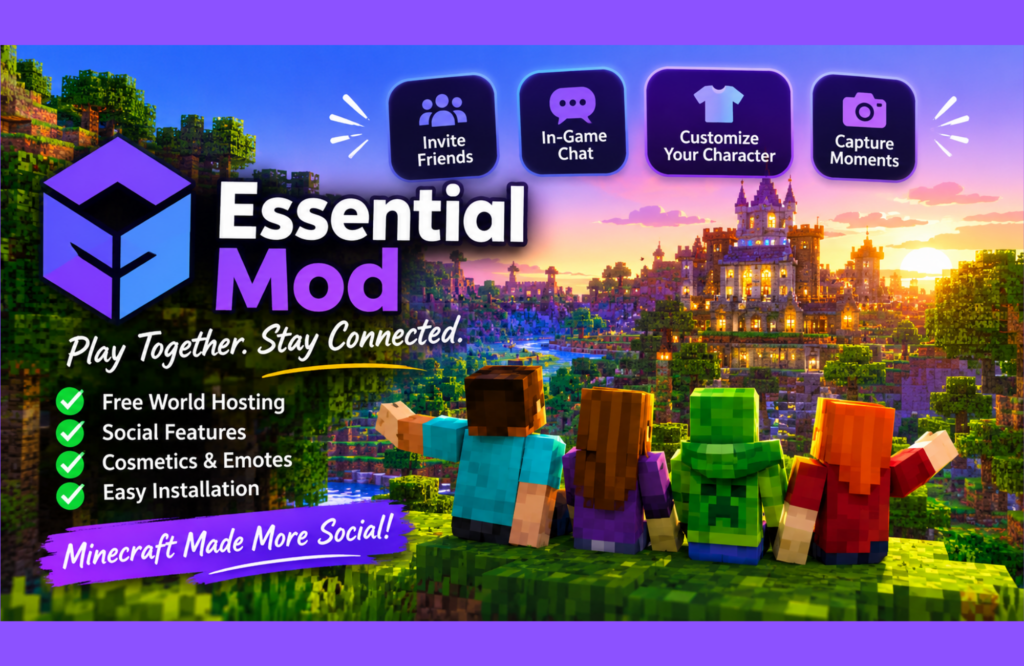
Image of the Essential Mod
Essential Mod APK vs. Regular APK: A Comparison
Understanding the differences between Essential Mod APKs and regular APKs can help users make informed decisions:
| Feature | Essential Mod APK | Regular APK |
|---|---|---|
| Cost | Free with premium features | May require payment |
| Ads | No ads | May contain ads |
| Functionality | Enhanced features | Standard features |
| Security | Potential risks | Generally safer |
| Updates | May lack updates | Regular updates |
This comparison highlights the trade-offs between using Essential Mod APKs and sticking with standard versions, allowing users to weigh their options based on personal needs and preferences.
Examples of Popular Essential Mod APKs
Several Essential Mod have gained popularity among users due to their unique offerings. Some notable examples include:
- Minecraft Mod APK: Offers unlimited resources and access to premium features, allowing players to explore without restrictions and enjoy creative freedom.
- Spotify Mod APK: Provides ad-free listening and access to premium songs without a subscription fee, enhancing the overall music experience.
- Subway Surfers Mod APK: Features unlimited coins and keys, enabling players to unlock all characters and power-ups instantly, making gameplay more enjoyable.
- Clash of Clans Mod APK: Allows players to enjoy unlimited gems and resources, significantly enhancing gameplay and enabling strategic advantages.
- Call of Duty Mobile Mod APK: Offers access to all weapons and skins without grinding, enabling players to compete at higher levels right from the start.
These examples illustrate the variety of Essential Mod APKs available and their appeal to users seeking enhanced experiences, catering to different interests and gaming styles.
How to Install Essential Mod?
Installing Essential Mod is relatively simple when you use the official installer. Follow these steps to get started.
- Visit the official Essential website at https://essential.gg/.
- Find the download option for the Essential Installer.
- Download the installer for your supported operating system.
- Open the downloaded installer on your computer.
- Select your preferred Minecraft launcher.
- Choose a supported Minecraft version and mod loader.
- Follow the installation instructions displayed on the screen.
- Open your Minecraft launcher after installation.
- Start the Minecraft installation containing Essential.
- Open the game and explore the available features.
The official installer supports Windows 10 and Windows 11, as well as macOS Catalina 10.15 and newer versions. If automatic installation does not work, you can follow the official manual installation guide. Remember to select compatible versions of Minecraft and your other installed mods.
Tips for Using Essential Effectively
Getting the most out of a Minecraft modification requires understanding how its features work. These simple tips can help you enjoy a smoother experience.
Invite Trusted Friends: Only invite people you know or trust to your private gaming sessions.
Check Version Compatibility: Make sure your Minecraft version and mod loader are supported before installing updates.
Use a Stable Internet Connection: Since world hosting depends on your computer and internet connection, a stable network can improve multiplayer sessions.
Manage Your Cosmetics: Explore the available wardrobe options to create a character that suits your preferences.
Keep Your Installation Updated: Use official updates to benefit from improvements, compatibility changes, and bug fixes.
Back Up Important Worlds: Although Essential is not designed to change Minecraft’s normal world-saving system, keeping backups is a sensible habit for every player.
Review Your Privacy Settings: Understand the available privacy and communication settings before using social features.
Is Essential Mod Safe?
Safety is an important consideration when installing any third-party Minecraft modification. The official Essential website provides information about its safety practices, technology, and privacy. Its documentation explains that its world-hosting system uses connection technologies such as ICE and TURN to help players connect. However, no third-party modification should be installed without checking its source and requirements. For a safer experience, follow these recommendations:
- Download the installer from the official Essential website.
- Avoid modified installers from unknown websites.
- Check the compatibility of every installed modification.
- Read the privacy information before using social features.
- Do not share your Minecraft account password with other players.
- Keep your Minecraft launcher and operating system updated.
- Back up your important game files regularly.
Essential is not an official Minecraft product from Mojang or Microsoft. It is a third-party project, so players should review its policies and decide whether its features meet their privacy preferences.
Pros and Cons of Essential
Every Minecraft modification has advantages and limitations. Understanding both sides can help you decide whether it is suitable for your gaming needs.
| Pros | Cons |
|---|---|
| Free world-hosting functionality | Requires a supported Minecraft Java installation |
| Convenient multiplayer invitations | Hosting depends on the host’s computer and internet |
| Built-in social features | Requires an internet connection for online features |
| Character customization options | Some cosmetics may require payment |
| In-game screenshot management | May not suit players who prefer minimal installations |
| Supports several mod loaders | Compatibility depends on game and mod versions |
Alternatives to Essential
Some Minecraft players search for other tools because they prefer different multiplayer systems or want fewer additional features. Here are some alternatives worth exploring:
e4mc
e4mc is a Minecraft mod that allows players to share a single-player world with others through a publicly accessible address. It can be useful for players looking for a simple world-sharing solution.
World Host
World Host is another Minecraft modification designed to make hosting a single-player world easier for multiplayer sessions. Its approach is focused more directly on sharing worlds.
LAN Multiplayer
Minecraft’s built-in LAN option allows players on the same local network to join a shared world. It is a practical option for friends playing on the same home or local network.
Dedicated Minecraft Servers
A dedicated server gives players a separate environment for hosting multiplayer worlds. It can be a better option for larger communities or groups that want their worlds available independently of one player’s game session.
Each option has different requirements, so choose one according to your internet connection, technical experience, and multiplayer needs.
Frequently Asked Questions
Are Essential APKs safe to use?
Using Essential APKs can pose security risks, especially if downloaded from untrusted sources. Always ensure the source is reputable and consider the potential for malware.
Can I get banned for using a Mod APK?
Yes, using Mod APKs may violate the terms of service of the original app, which could result in account bans or legal consequences.
How do I find a reliable source for Mod APKs?
Look for well-reviewed websites or forums dedicated to APKs. Check user feedback and ensure the site has a good reputation to avoid malicious downloads.
Will using a Mod APK affect my device’s performance?
Mod APKs can sometimes lead to performance issues, including crashes or bugs, as they may not be optimized like the original versions. Monitor the app for any irregularities.
Where can I download Essential?
You can visit the official website at https://essential.gg/ to find the installer, supported versions, documentation, and installation instructions.
Conclusion
Essential Mod is a useful addition for Minecraft Java Edition players who want a more convenient multiplayer and social experience. Its free world-hosting functionality, friends system, wardrobe, emotes, skin manager, and screenshot tools bring several helpful features together. Whether you enjoy building survival worlds, exploring modpacks, or spending time with friends, this modification offers different ways to make your Minecraft sessions more enjoyable. Before installing it, check the supported Minecraft version, mod loader, and system requirements.
For the best experience, always download from the official source and keep your game files backed up. Understanding its features and limitations will help you decide whether Essential is the right addition to your Minecraft setup.