

Explore APKMirror, a platform for safe APK downloads. Learn how it works, safety measures,…
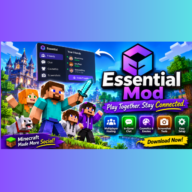 Essential Mod: A Complete Guide to Modified Apps
v3.2.4 • 7.3 MB • Android-5.0+
Your download is ready
Your file is ready. Tap the button to start the download.
The file is hosted on a fast, direct link — no waiting and no extra steps.
- VersionV3.2.4
- File Size7.3 MB
- RequiresAndroid-5.0+
- UpdatedNov 8, 2026
How to install Essential Mod: A Complete Guide to Modified Apps
- 1. Visit the official Essential Mod website at https://essential.gg/download.
- 2. Download the Essential Installer for Windows or macOS.
- 3. Open the downloaded installer on your computer.
- 4. Click on the Get Started option.
- 5. Select your Minecraft launcher, such as Minecraft Launcher, Prism Launcher, or CurseForge.
- 6. Choose your preferred Minecraft version.
- 7. Select a compatible mod loader, such as Fabric, Forge, or NeoForge.
- 8. Click Create & Install to begin the installation.
- 9. Wait for the installer to complete the setup.
- 10. Open your Minecraft launcher.
- 11. Select the newly created Essential installation.
- 12. Click Play to launch Minecraft Java Edition.
- 13. Once the game opens, check that Essential Mod is working correctly.
- 14. Add your friends and start enjoying multiplayer features.






