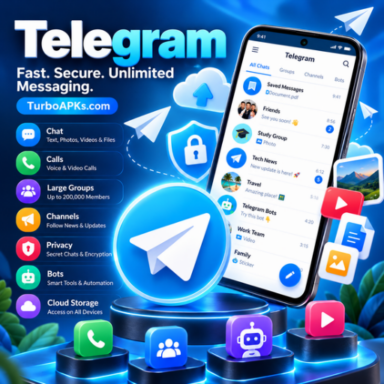
Telegram is a popular cross-platform messaging app offering private chats, voice and video calls, large groups, public channels, and cloud-based file sharing. Connect with friends using usernames, customize themes, explore useful bots, and share photos, videos, documents, and stickers. Discover Secret Chats with end-to-end encryption, privacy settings, and self-destructing messages for additional protection.
Premium unlocks exclusive stickers, faster downloads, larger file uploads, message-to-text conversion, and other advanced features. Explore for Android, its key features, security options, benefits, and alternatives to WhatsApp, Signal, and Viber.
What Is Telegram?
Telegram is a free messaging application that allows people to exchange text messages, photos, videos, voice messages, and documents. It also supports voice calls, video calls, large group chats, public channels, and automated bots. According to its official FAQ, more than one billion active users worldwide. Its cloud-based system allows users to access their regular conversations from multiple supported devices. For example, imagine that you receive an important document on your phone while travelling. Later, when you open Telegram on your computer, you can access that document without transferring it manually between devices. It is useful for several purposes, including:
- Chatting with friends and family.
- Sharing photos, videos, and documents.
- Joining communities based on personal interests.
- Following news and educational channels.
- Communicating with customers and business teams.
- Using bots for supported automated tasks.
- Making voice and video calls.
The platform is available for Android, iOS, Windows, macOS, and other supported environments. Users can also access through a web browser. You can learn more about the service on the official website: https://telegram.org/.
Why Choose Telegram?
Choosing a messaging app depends on your needs. Some people want a simple way to communicate with family, while others need tools for managing communities or sharing large files. Combines several communication features in one application.
1. Access Messages Across Devices
One of useful features is cloud synchronization for regular chats. You can sign in to your account on supported devices and access your cloud conversations without manually transferring your chat history.
This can be helpful for students, office workers, content creators, and people who regularly switch between their phones and computers. However, Secret Chats are different. They are device-specific and do not synchronize across your other devices.
2. Share Different Types of Files
Telegram supports sharing documents and media files, including PDFs, photographs, videos, audio, and compressed files. According to its official FAQ, regular accounts can share files up to 2 GB each, while Premium supports files up to 4 GB each. Limits and available features should be checked against the current official information.
This makes the platform useful when you need to share work documents, educational materials, or other large files.
3. Join Groups and Channels
This groups for conversations and channels for broadcasting information. For example, a teacher could create a group for classroom discussions, while a website owner could create a channel to announce new articles.
Groups allow members to interact with one another. Channels are mainly designed for publishing updates to subscribers.
4. Use App on a Computer
You do not need to use your phone for every conversation. Desktop applications and browser-based access, making it easier to manage messages while working on a computer.
This can be especially helpful for people who spend long hours writing, studying, or managing an online business.
5. Customize Privacy Settings
Telegram provides settings that let users control who can see information such as their phone number, profile details, and last-seen status. These settings can help you manage your online privacy.
However, remember that ordinary cloud chats are not end-to-end encrypted by default. If you need end-to-end encryption for a private conversation, use a Secret Chat where available.
Features of Telegram
Telegram includes several tools that make it more than a basic messaging application.
1. Instant Messaging
Users can send and receive text messages over an internet connection.
The app supports replies, message editing, message deletion, and other tools that help people manage conversations.
2. Voice and Video Calls
Telegram supports voice and video calls, allowing people to communicate without relying on traditional mobile calling.
Group calling features are also available. Their exact capabilities may vary depending on the current app version and platform.
3. Large Groups
Telegram groups can support up to 200,000 members. This makes them useful for large communities, study groups, fan communities, and business discussions.
Group administrators can manage members, control permissions, pin important messages, and use moderation tools.
4. Public and Private Channels
Channels allow administrators to publish messages to subscribers. A public channel can help a creator, company, or website share updates with a large audience. Private channels can be used for more restricted communities.
For example, TurboAPKs.com could create a channel to announce newly published app guides, website updates, and useful Android tips. If you manage a channel for your website, publish original and helpful information rather than repeatedly sending promotional messages.
5. Cloud-Based Messaging
Regular cloud chats are stored cloud system and can be accessed across supported devices. This means you can read your regular chat history on another device after signing in to the same account.
Users can also clear cached media to reduce the amount of storage used on their devices.
6. Bots and Automation
The supports bots created by developers. Depending on how they are built, bots can answer questions, provide notifications, organize information, and perform other automated tasks.
For example, a business could use a bot to answer common customer questions or help users find information. Be careful when using third-party bots. Do not share passwords, verification codes, financial details, or sensitive documents with bots you do not trust.
7. Stickers, GIFs, and Emojis
It supports stickers, animated GIFs, and emojis.
These features make conversations more expressive and allow users to communicate in a more personal way.
8. Message Search and Organization
In includes search tools that help users find messages and information within conversations.
Pinned messages, folders, and notification controls can also make it easier to manage busy chats.
9. Secret Chats
Secret Chats provide additional privacy through end-to-end encryption. In simple words, end-to-end encryption means that the conversation is protected so that only the participating devices can read its messages.
Secret Chats are separate from regular cloud chats. They are device-specific and support self-destructing messages.
10. Optional Premium Features
Telegram offers a paid Premium subscription with additional features. The available benefits may include higher file-sharing limits, faster downloads, increased limits, and other enhancements.
You do not need a Premium subscription to use the basic messaging features.
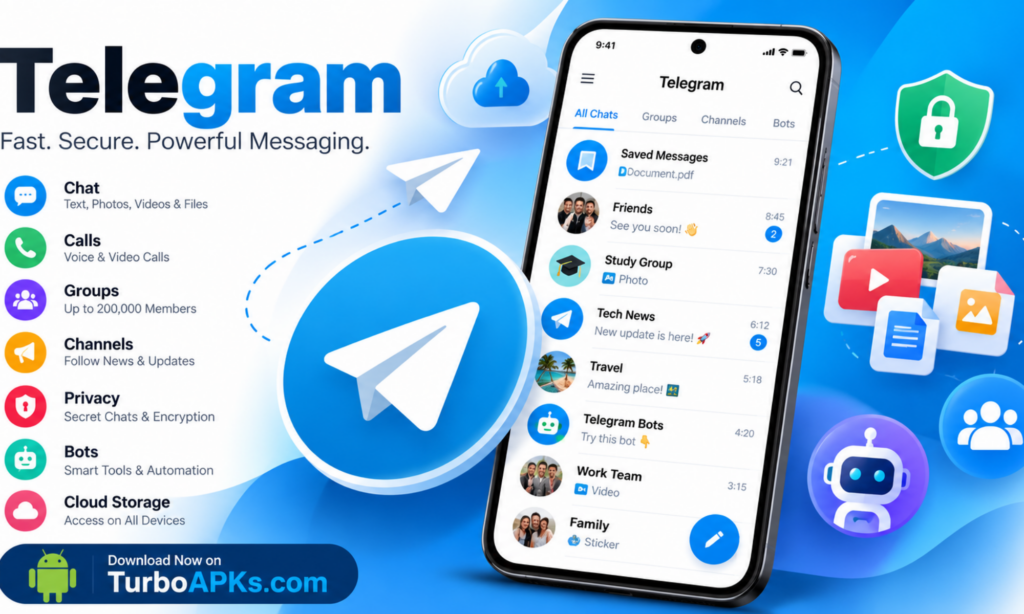
Image of the Telegram
How to Download and Install Telegram?
If you want to start using, follow these steps.
Step 1: Choose the Official Download Source
Visit the official website at https://telegram.org/.
Select the version that matches your device, or visit the official app store on your smartphone.
Step 2: Install the Application
Download the app and follow the installation instructions shown on your device.
On Android, you can use Google Play or an official distribution source. On iPhone, use Apple’s App Store.
Step 3: Open the App
After installation, open and follow the instructions on the screen.
Step 4: Register or Sign In
Enter your phone number and complete the verification process.
Never share your login code with another person, even if they claim to represent support.
Step 5: Set Up Your Profile
Add a display name and, if you wish, a profile photo.
You can also choose a username so that people can find or contact you without necessarily knowing your phone number.
Step 6: Review Your Privacy Settings
Open Settings and look for Privacy and Security.
Review your phone number visibility, active sessions, two-step verification, and other available options.
Step 7: Start Messaging
You can now search for contacts, start conversations, join groups, and follow channels.
Always check that a group or channel is trustworthy before sharing personal information or downloading files from it.
Security and Privacy: Is Safe?
Provides security features, but users should understand how they work before sharing sensitive information.
The most important distinction is between regular cloud chats and Secret Chats.
Regular Cloud Chats
Regular private chats and group conversations use client-server encryption, and their messages are stored cloud.
This allows users to access their conversations from multiple devices. However, regular cloud chats are not protected by end-to-end encryption by default.
Secret Chats
Secret Chats use end-to-end encryption. They are designed for conversations that require additional privacy and are available in supported mobile apps.
Because these chats are device-specific, they do not appear on all your logged-in devices.
Protect Your Account
Follow these simple safety tips:
- Enable two-step verification.
- Use a strong password for two-step verification.
- Set an app passcode if available.
- Review your active sessions and terminate unfamiliar ones.
- Limit who can see your phone number.
- Avoid opening suspicious links.
- Never share login codes with strangers.
- Download apps only from trustworthy sources.
- Be careful when joining unknown groups.
- Do not assume that disappearing messages cannot be copied or photographed.
Telegram’s official FAQ provides further details about Secret Chats, account protection, and privacy controls.
Can Protect You From Every Threat?
No application can guarantee complete safety. Scammers may impersonate friends, companies, customer support representatives, or popular channel administrators. A malicious person might also take a screenshot of a conversation or photograph your screen with another device.
Therefore, good security habits are just as important as the security features offered by the application. For additional information, read official privacy policy at https://telegram.org/privacy.
Tips for Using Telegram Effectively
You can improve your experience by following a few simple practices.
1. Organize Your Conversations
Use chat folders or other available organization tools to separate personal conversations, work discussions, and educational groups.
This can make it easier to find important messages.
2. Control Notifications
Large groups can send many notifications throughout the day.
Mute groups that are not urgent and keep notifications enabled for important conversations.
3. Manage Storage
Photos, videos, and documents can occupy space on your phone.
Review your storage settings and clear cached media when necessary. Remember that clearing the cache is different from deleting the original messages.
4. Check Links Before Opening Them
Do not trust a link simply because someone shares it in a familiar group.
Check the website address carefully, especially when a message promises free rewards, prizes, premium accounts, or unusual financial benefits.
5. Use Channels for Learning
You can follow channels that share educational material, technology news, language lessons, and other useful information.
Choose reliable sources and check important claims against trusted websites.
6. Keep the App Updated
Updates can introduce improvements, fix problems, and address security issues.
Install updates through official sources rather than unknown websites.
7. Protect Your Personal Information
Avoid sharing your home address, passwords, identity documents, or financial information in public groups.
Only share sensitive information when it is genuinely necessary and the recipient can be trusted.
Telegram Alternatives: Which Apps Can You Use?
Some people prefer a different messaging app because of its privacy model, simplicity, or existing contacts.
The best alternative depends on what matters most to you.
1. WhatsApp
WhatsApp is a popular messaging platform for personal conversations, voice calls, video calls, and group communication. It is worth considering if most of your family members, friends, and customers already use it.
A major difference is that WhatsApp personal messages and calls are end-to-end encrypted by default, while Telegram’s regular cloud chats are not. Official website: https://www.whatsapp.com/
2. Signal
Signal focuses strongly on private communication. Its messages and calls are end-to-end encrypted by default, making it worth considering for users who prioritize this privacy feature.
Official website: https://signal.org/
3. Discord
Discord provides text channels, voice communication, video calls, and community management tools. It can be useful for gaming communities, online study groups, and people who want organized discussions around particular topics.
Official website: https://discord.com/
4. Facebook Messenger
Facebook Messenger allows people to communicate through messages, voice calls, and video calls. It may be convenient if your friends and family already use Facebook. Privacy features and encryption availability can vary by conversation type and current service settings.
Official website: https://www.messenger.com/
5. Viber
Viber offers messaging, voice calls, video calls, and group communication. It may be a useful option for people whose contacts already use the service.
Official website: https://www.viber.com/
Which Alternative Is Best?
There is no single best messaging application for everyone. Choose WhatsApp if you want to communicate with contacts who already use it. Consider Signal if end-to-end encryption by default is a major priority. Choose Discord if you need organized community discussions.
It may suit you if you value cloud synchronization, large groups, channels, bots, and flexible file sharing. Before choosing, compare the privacy features, device support, and communication tools that matter most to you.
Pros and Cons of Telegram
Every messaging application has strengths and limitations. Understanding both sides can help you decide whether it meets your needs.
Advantages
1. Free Basic Messaging
You can send messages and use many communication features without purchasing a subscription.
2. Cross-Device Access
Regular cloud chats can be accessed on supported devices after signing in.
3. Large Groups and Channels
The platform supports large communities and channels that can reach many subscribers.
4. File Sharing
Users can share documents, photographs, videos, and other supported file types.
5. Helpful Automation Tools
Bots can perform tasks such as answering questions, providing updates, and organizing information.
6. Privacy Controls
Users can adjust several account and privacy settings and use Secret Chats for end-to-end encrypted conversations.
7. Useful for Businesses and Creators
Channels can help businesses, bloggers, and content creators publish announcements and communicate with followers.
Disadvantages
1. Regular Chats Are Not End-to-End Encrypted by Default
Users who need end-to-end encryption must understand the difference between cloud chats and Secret Chats.
2. Scams Can Appear in Public Communities
Fraudulent links, impersonation attempts, and misleading promotions can put users at risk.
3. Large Groups Can Become Noisy
Busy communities may produce too many messages and notifications.
4. Not Everyone Uses It
You may need another messaging application to communicate with people who do not use.
5. Some Features Require Payment
Certain additional features are available only through Telegram Premium.
6. Unknown Files May Be Dangerous
Files shared by strangers can contain harmful content or direct users toward unsafe websites. Always check the source before downloading or opening unfamiliar files.
Common Problems and Their Solutions
New users sometimes experience difficulties when setting up or using Telegram.
Here are a few common examples.
Telegram Is Not Sending Messages
Check your internet connection first.
If your connection is working, close and reopen the application. Also check whether the service is experiencing an outage.
Telegram Is Not Sending a Verification Code
Confirm that you entered the correct phone number and country code. Follow the verification instructions shown in the official app. Depending on your account and device, the code may be delivered through a supported session rather than by SMS.
Never ask strangers to provide a code for you.
Telegram Is Taking Up Too Much Storage
Open the app’s storage settings and review cached media.
You may be able to clear downloaded copies from your device without deleting the messages stored in your cloud chats.
You Cannot Access Your Account
Check that you have access to the phone number associated with your account and any existing logged-in devices. If two-step verification is enabled, you may also need the password you configured.
Use official account recovery instructions and avoid services that promise to recover your account in exchange for your password or verification code.
Frequently Asked Questions About Telegram
1. Is Telegram Free to Use?
Yes. Free messaging and many other features. Some additional tools and benefits require a paid Premium subscription.
2. Can I Use Without a Phone?
You can use on a computer or through a web browser. However, creating or accessing an account generally requires a supported login method associated with a phone number.
3. Can I Use on Multiple Devices?
Yes. You can sign in on multiple supported devices and access your regular cloud chats.
Secret Chats remain limited to the devices on which they were created.
4. Is Telegram More Secure Than WhatsApp?
It depends on the security feature you are comparing. It offers end-to-end encryption in Secret Chats, while its regular cloud chats are not end-to-end encrypted by default. WhatsApp personal messages and calls are end-to-end encrypted by default.
Your privacy also depends on account settings, device security, and how carefully you use each service.
5. Can People See My Phone Number on Telegram?
Your phone number’s visibility depends on your privacy settings and what other people already know or have saved.
You can review the Phone Number option under Privacy and Security to control who can see it.
6. What Is the Difference Between a Telegram Group and a Channel?
A group is designed mainly for conversations among members.
A channel is designed mainly for publishing messages to subscribers. Channels can be useful for news, announcements, educational content, and website updates.
7. Can I Send Large Files Through Telegram?
Yes. Supports files up to 2 GB each for regular accounts and up to 4 GB each for Premium users, according to its official FAQ. Check the current official documentation for any changes to these limits.
Conclusion
Telegram is a versatile messaging platform that combines private conversations, file sharing, voice and video calls, groups, channels, and automation tools. Its cloud synchronization makes regular chats convenient to access across multiple devices, while its community features can help individuals, businesses, and content creators reach interested audiences. However, users should understand its limitations. Regular cloud chats are not end-to-end encrypted by default, and public groups can expose users to scams or misleading information. Reviewing privacy settings, enabling two-step verification, and downloading the official application are important steps toward safer use.
If you are looking for a messaging platform for everyday communication, educational communities, or business announcements, may be worth considering. Compare its features with alternatives such as WhatsApp and Signal before deciding which service best meets your needs. At TurboAPKs.com, our goal is to help readers understand applications through clear explanations, practical guides, and useful information. We hope this guide helps you make an informed decision about using.