
Status Saver is an Android tool that lets you save WhatsApp status photos, videos, and GIFs directly to your phone’s gallery. It supports WhatsApp Business, Dual Space, and Parallel Space, with easy media browsing, private status viewing, custom sticker creation, and multi-file management.
Enjoy offline access to saved media, quick sharing options, and simple downloads. Discover its features, Android compatibility, installation process, and useful tips for managing your favourite WhatsApp statuses.
Key takeaways
- Status Savers enable users to download and save statuses from messaging apps easily.
- They typically offer features like multi-platform support and user-friendly interfaces.
- Using a status Saver can enhance the experience of sharing and preserving important updates.
What Is Status Saver?
Status Saver is a type of Android utility application designed to help users save WhatsApp status photos and videos to their device storage. It allows you to access supported media that WhatsApp has already downloaded to your phone after you view a status. Normally, WhatsApp status updates disappear automatically after 24 hours. If you want to keep a particular picture or video, you need another way to save it before it becomes unavailable. A status-saving application provides a convenient solution by displaying supported media and allowing you to download selected files to your phone’s gallery.
Most applications in this category offer a simple interface with separate sections for images and videos. Some versions also include additional tools, such as direct chat, multiple downloads, media management, and sharing options. One important thing to understand is that these applications are not official WhatsApp products. Their features, permissions, and privacy practices depend on the individual developer.
Why Choose a Status-Saving Application?
There are several reasons why people use status-saving applications on their Android devices. The biggest advantage is convenience. You do not need to take screenshots of pictures or use complicated methods to keep videos that you like.
Save Memorable Moments
Sometimes your friends and family share beautiful pictures, celebrations, travel memories, or special occasions through WhatsApp statuses. Saving these moments allows you to keep a personal copy and view them whenever you want.
Download Videos Easily
If someone shares an interesting video, you can use a compatible application to save it to your phone. This makes it easier to watch the video later without searching for the original status again.
Simple and Beginner-Friendly Interface
Most status-saving tools are designed for everyday smartphone users. You generally do not need advanced technical knowledge to browse available media, select a picture, and save it.
Offline Media Access
After successfully saving a photo or video, you can access the downloaded file from your device without needing an active internet connection.
Share Saved Media
Many applications include sharing options that allow users to send saved media through supported messaging and social media applications. Always make sure you have permission before sharing someone else’s content.
Many People Search for Alternatives in Different Ways
Users do not always search for an application using its exact name. They often describe the problem they want to solve. Understanding these different search terms can help users discover the right solution.
Here are some common search variations related to this topic:
- WhatsApp Status Saver
- WhatsApp Status Downloader
- Status Video Downloader
- Download WhatsApp Status Videos
- Save WhatsApp Status Photos
- WhatsApp Image Saver
- Video Status Download App
- Status Download for Android
- WhatsApp Story Saver
- Save WhatsApp Stories to Gallery
- Status Saver for WhatsApp Business
- Free Status Downloader APK
Although these searches use different words, most users are looking for the same basic functionality: saving supported status photos and videos to their smartphones. Before installing an application, check whether it supports your Android version and the messaging application you use.
Features of the Application
The available features depend on the particular application and its developer. However, many applications in this category provide the following useful functions.
1. Photo Status Downloading
Users can browse available status pictures and save their favourite images directly to their device storage. This is useful for keeping memorable photographs, quotes, and other visual content.
2. Video Status Downloading
Video downloading is one of the main reasons people use these applications. You can select a supported video status and save a separate copy for future viewing.
3. Easy Media Browsing
A simple gallery interface helps users find available photos and videos without searching through multiple folders manually.
4. Built-In Media Viewer
Some applications include a built-in image and video viewer. This allows you to preview media before deciding whether you want to save it.
5. Sharing Options
You can share saved media through supported applications using your phone’s standard sharing menu. This makes it easier to send pictures and videos to friends or family.
6. WhatsApp Business Support
Some status downloaders support both regular WhatsApp and WhatsApp Business. Availability depends on the application and whether the required media folders are accessible on your device.
7. Offline Viewing
Once a file has been successfully saved, you can view it later without opening WhatsApp or connecting to the internet.
8. Simple User Interface
Most applications focus on straightforward navigation. Users can browse media, preview files, and access download options without following complicated instructions.
Image of the Status Saver
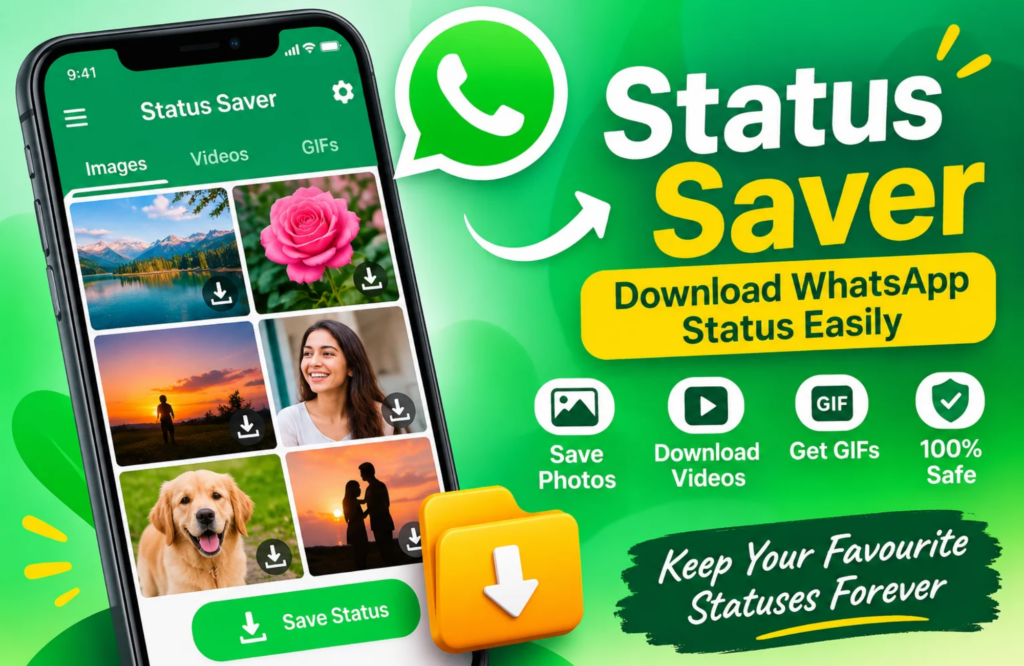
How to Use a Status Saver?
Using is generally simple and involves the following steps:
- Download and Install: First, download the status saver app from a reliable source and install it on your device.
- Open the App: Launch the application and grant any necessary permissions, such as access to your media files.
- Select Status: Navigate to the messaging app and view the status you wish to save. Return to the app.
- Download Status: The app should display the available statuses. Tap on the desired status to download it to your device.
- Organize Your Statuses: After downloading, take advantage of any organizational features the app offers, such as creating folders or tagging content for easier retrieval later.
Tips for Using Status-Saving Applications
A few simple practices can make your experience better and help you avoid common problems.
- Check the status first: Open and view the desired WhatsApp status before searching for it in the downloader.
- Use trusted applications: Download apps from Google Play or verified developer websites whenever possible.
- Check available storage: Make sure your phone has enough free space before downloading large videos.
- Organize saved files: Keep your downloaded pictures and videos in separate folders to find them easily.
- Update the application: Install updates from trusted sources to receive improvements and security fixes.
- Avoid unnecessary permissions: Only grant access that is required for the application’s main features.
- Respect other people’s privacy: Ask for permission before reposting or sharing personal photos and videos.
Security and Privacy Considerations
Security is an important factor when choosing any third-party Android application. Since status downloaders may request access to media folders, you should understand what permissions they need and why.
A legitimate application should explain its permission requirements clearly. For example, it may need access to a specific WhatsApp status folder to display available pictures and videos. Android’s Storage Access Framework can allow users to select an individual folder instead of granting unrestricted access to all device files.
However, not every application follows the same approach. Some may also include advertising, analytics services, or additional features that require different permissions.
Before installing an APK file, consider the following safety recommendations:
Download from reliable sources: Avoid unfamiliar websites that distribute modified or suspicious installation files.
Review app permissions: Be careful if a simple status downloader requests access to your contacts, microphone, location, or other unrelated information.
Read the privacy policy: Understand whether the developer collects device information, usage data, or other personal information.
Check developer information: Look for a clear developer name, contact details, and a trustworthy update history.
Use security protection: Keep Google Play Protect and your Android security updates enabled.
Be careful with modified APKs: Unofficial modified versions may contain unwanted code, advertisements, or other security risks.
Remember that no third-party application should automatically be considered completely safe. Review its permissions and privacy practices before using it.
Pros and Cons
Before installing a status downloader, it is helpful to understand its advantages and possible limitations.
| Pros | Cons |
|---|---|
| Easy way to save supported status photos | Requires an additional application |
| Convenient video downloading | Some apps display advertisements |
| Simple and beginner-friendly interface | Features vary between developers |
| Offline access to saved media | May require folder permissions |
| Helpful media browsing options | Some versions may not support every device |
| Easy sharing of saved files | Cannot recover media that is no longer available |
Overall, these applications can be useful for managing status media, but their performance depends on the developer, device compatibility, and Android storage restrictions.
Best Alternatives to Status-Saving Applications
If you do not want to install an additional application, there are other ways to keep certain types of media.
1. Screenshot Feature
For image statuses, you can use your smartphone’s built-in screenshot function. This is a simple option when you only need to save a picture.
2. Screen Recording
Some Android smartphones include a built-in screen recorder. It may help capture certain videos, although the results can vary depending on device settings and application restrictions.
3. Ask the Original Sender
The easiest and most respectful alternative is to ask the person who uploaded the status to share the original image or video with you.
4. Use Your Phone’s File Manager
On supported Android devices, previously viewed WhatsApp status media may be temporarily available in a hidden status folder. You can use a compatible file manager to locate it, although folder access varies across Android versions.
5. WhatsApp’s Built-In Sharing Options
If someone sends you a photo or video directly, you can use WhatsApp’s available media-saving and sharing options instead of relying on a third-party downloader.
Each alternative has different limitations, so choose the method that best matches your needs.
Status Saver vs. Traditional Methods of Saving Statuses
Traditional methods of saving statuses often involve taking screenshots or screen recordings. While these methods can work, they come with limitations:
- Quality Loss: Screenshots may not capture the full quality of the original content, especially for videos, which can appear pixelated or cropped.
- Cluttered Gallery: Screenshots can clutter your photo gallery, making it difficult to find specific statuses later, leading to frustration when searching for a particular memory.
- Time-Consuming: Manually taking screenshots for each status can be tedious compared to the efficiency of a status saver, which streamlines the process.
- Inability to Save Expired Content: Once a status disappears after the time limit, traditional methods cannot retrieve it, whereas savers allow for saving content even after it has expired.
Benefits and Challenges
Benefits and challenges of Status Saver applications can vary based on user needs and preferences.
Benefits
- Status savers can expand access when materials and pacing are well designed.
- Clear learning objectives help users stay aligned with their goals.
- Flexible formats can support different schedules and learning preferences.
Challenges
- Engagement and completion rates may vary based on design and support quality.
- Not every skill transfers equally from online or remote formats to practice.
- Accreditation and credential recognition differ by institution and region.
Frequently Asked Questions
Q.1 Are status savers safe to use?
Yes, status savers are generally safe to use, provided you download them from reputable sources. Always check user reviews and permissions before installation.
Q.2 Can I use a status saver for any messaging app?
Most support popular messaging apps like WhatsApp and Instagram, but not all apps are compatible. Check the app details for specific support.
Q.3 Will using a status saver notify the original poster?
No, using does not notify the original poster when you download their status.
Q.4 Is there a cost associated with using a status?
Many savers are available for free, but some may offer premium features for a fee. Always check the app details for pricing information.
Conclusion
Saving interesting WhatsApp Status Saver updates can be useful when you want to keep memorable pictures, entertaining videos, or important information for later. A suitable status downloader makes this process easier by allowing you to browse supported media and save selected files directly to your Android device.
Before choosing an application, check its features, Android compatibility, permissions, and privacy policy. Remember that different developers offer different tools, so the experience may not be identical across all versions. Most importantly, use these applications responsibly and respect the privacy and copyright of other people. With the right application and sensible security practices, you can manage your favourite status media more conveniently and enjoy your saved content whenever you want.