InShot Mod APK is a popular search term for users looking for advanced video editing tools, premium filters, AI auto captions, background removal, keyframe animation, and watermark-free exports. Discover its features for creating professional videos, Instagram Reels, TikTok clips, YouTube Shorts, and vlogs.
Learn about editing tips, installation, security risks, pros and cons, and alternatives like CapCut, VN Video Editor, Alight Motion, and KineMaster. Explore everything you need to know before choosing a video editing application for Android.
What is InShot Mod APK?
InShot Mod APK is a modified version of the Inshot app, which is widely used for video and photo editing on Android devices. The original Inshot app is known for its user-friendly interface and a range of features that allow users to create and edit multimedia content easily. However, the Mod APK version introduces additional features, such as premium filters, unlocked functionalities, and ad-free usage, which enhance the overall editing experience.
The Inshot app has gained popularity among social media users, content creators, and anyone interested in producing high-quality videos and images. With the Mod APK, users can access tools that typically require a subscription or payment in the standard app, making it a tempting option for those looking to maximize their editing capabilities without incurring extra costs.
Why Choose InShot for Video Editing?
Choosing a suitable video editor depends on your editing experience and the type of content you want to create. Some applications have complicated interfaces that take time to understand, while others provide simple tools that beginners can use immediately. InShot Mod APK focuses on making everyday video editing easier. Its interface provides access to common editing options without requiring users to learn complicated professional software. Here are some reasons why content creators choose this editor:
Beginner-Friendly Interface: The editing workspace is designed to make common tools easy to find. Beginners can learn basic editing without spending hours studying tutorials.
Multiple Editing Tools: Users can trim clips, combine videos, add music, insert text, and apply visual effects in one application.
Social Media Content: Different canvas sizes and editing options help creators prepare videos for platforms such as Instagram, TikTok, and YouTube.
Photo and Video Editing: Instead of installing separate applications for basic photo editing and video editing, users can access both types of tools in one place.
Creative Freedom: Filters, stickers, transitions, and text styles help users give their videos a more personal appearance.
Main Features of InShot Mod APK
InShot offers a collection of creative tools that can help users improve their videos and photographs. Feature availability may depend on the application version, device, and subscription plan.
1. Video Trimming and Cutting
The trimming tool allows users to remove unwanted parts from the beginning or end of a video. You can also split a long recording into smaller clips and arrange them according to your preferred sequence.
This is especially helpful when preparing short videos for social media.
2. Music and Audio Editing
Music can make an ordinary video more interesting. InShot allows users to add background music, sound effects, and voice recordings to their projects.
You can also adjust audio levels to create a better balance between background music and spoken words.
3. Filters and Visual Effects
Filters help change the overall appearance of your video. You can experiment with different visual styles to create cinematic scenes, colorful clips, or softer-looking content.
Various transitions and visual effects can also make videos more engaging.
4. Text and Stickers
Adding text is useful when you want to explain something without recording your voice. You can create titles, captions, labels, and short messages.
Stickers and emojis provide additional ways to make your content more expressive.
5. Slow Motion and Speed Control
Speed controls allow you to make selected moments slower or faster. Slow-motion effects can highlight important actions, while faster playback can make longer recordings more suitable for short-form content.
6. Video Transitions
Transitions help connect two clips smoothly. Instead of making every scene change look sudden, you can use different transition styles to improve the flow of your video.
7. Picture-in-Picture Editing
Picture-in-Picture allows users to place one visual layer over another. This is useful for reaction videos, tutorials, commentary, and creative presentations.
8. Photo Editing and Collage Maker
InShot is not limited to videos. It also provides photo editing and collage-making options. Users can combine multiple pictures, add decorative elements, and prepare images for social media posts.
9. AI-Powered Editing Tools
Depending on the available version and subscription, InShot also offers AI-assisted tools such as automatic captions, background removal, and creative effects. These tools can reduce repetitive editing work.
10. High-Quality Video Export
The application supports high-resolution video exports, including 4K and 60 FPS on supported devices and compatible versions. The final result may depend on your phone’s hardware and project settings.
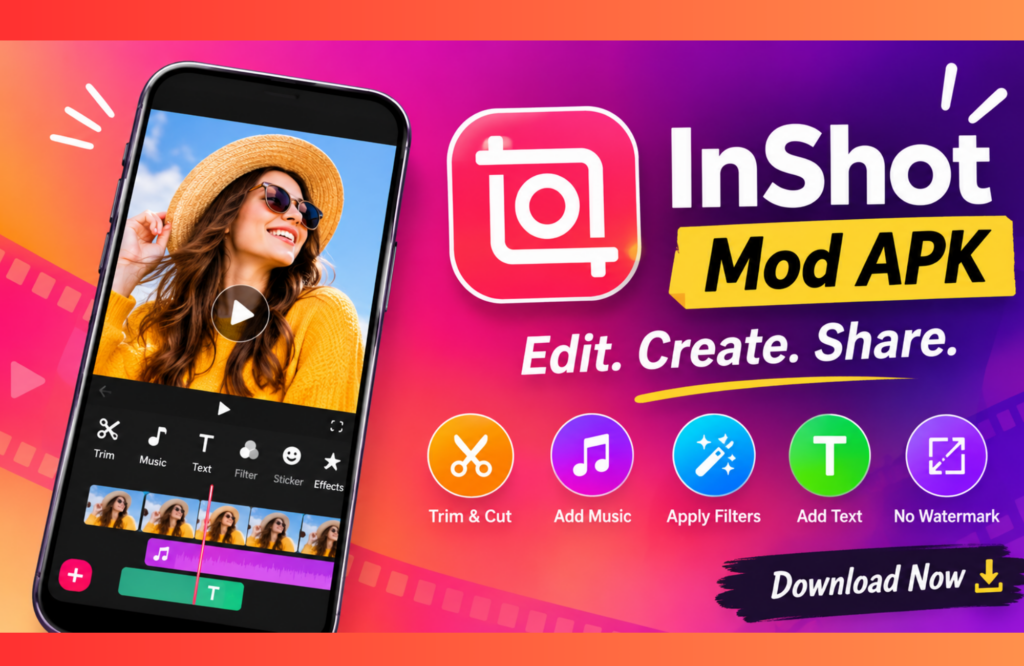
Image of the InShot Mod APK
Tips for Using InShot Mod APK Effectively
Having many editing tools does not automatically make a video attractive. Good results also depend on how you use those tools. Here are some practical tips for beginners:
Start with Short Clips: Practice with a few short recordings before working on longer projects. This makes the editing process easier to understand.
Choose the Correct Aspect Ratio: Use a vertical 9:16 layout for most Reels, Shorts, and TikTok videos. Select other dimensions when creating content for different platforms.
Avoid Too Many Effects: Applying too many transitions, filters, and stickers can make a video look messy. Keep your editing simple and consistent.
Use Clear Audio: Make sure background music does not overpower your voice. Good audio quality helps viewers understand your content.
Add Readable Captions: Use suitable font sizes and contrasting colors so viewers can easily read your text on smaller screens.
Preview Before Exporting: Watch your complete video before saving it. Check for unwanted clips, spelling mistakes, audio problems, and incorrect transitions.
Keep Original Files: Save important recordings separately so you can edit them again without losing the original footage.
Security: Is InShot Mod APK Safe?
Security is one of the most important things to consider when downloading modified applications. An unofficial modified APK is different from an application distributed through its original developer or a verified app store. Since modified files are changed by third parties, users cannot automatically trust their contents.
Some websites claim that their modified versions provide unlocked premium features, but these claims do not guarantee that the files are safe. Potential risks include:
- Malware: Modified installation files may contain harmful code that can affect your device.
- Privacy Problems: An untrusted application may request access to personal information or files.
- Account Security: Logging into personal accounts through an unsafe application can expose sensitive information.
- Update Problems: Modified versions may not receive official updates and security improvements.
- Unexpected Errors: Some features may stop working, or the application may crash during editing.
- Unwanted Advertisements: Certain unofficial versions may include intrusive advertisements or unwanted behavior.
For better protection, download the original application through its official distribution channels. Keep Google Play Protect enabled and carefully review the permissions requested by applications. You can also visit the official InShot website to find the appropriate download option for your device.
Best Alternatives to InShot Mod APK
If InShot does not provide everything you need, several other editing applications are worth exploring. Each has its own editing style and strengths.
1. CapCut
CapCut is a video editing application known for its creative effects, templates, transitions, and social media editing tools. It can be useful for creators who enjoy making short-form videos.
2. VN Video Editor
VN Video Editor provides timeline-based editing tools for people who want greater control over their video projects. It is worth considering for vlogs, tutorials, and other creative videos.
3. YouCut
YouCut is another mobile video editor designed for everyday editing tasks. It provides tools for trimming clips, combining videos, adding music, and preparing social media content.
4. Canva
Canva is useful for people who want to create more than videos. It offers design tools for social media graphics, presentations, posters, and other visual content.
The best choice depends on your editing needs, device compatibility, and preferred workflow.
Pros and Cons of InShot Mod APK
Before choosing an editing application, it is helpful to understand its strengths and limitations.
| Pros | Cons |
|---|---|
| Beginner-friendly interface | Some tools require a paid plan |
| Video and photo editing in one app | Free version may include advertisements |
| Music, text, and sticker tools | Some advanced projects require practice |
| Useful filters and transitions | Exporting large projects can take time |
| Suitable for social media content | Performance depends on device hardware |
| High-resolution export options | Some features may vary by device and version |
Unofficial modified versions also have additional security and update-related disadvantages, so users should consider these risks before choosing them.
FAQs About InShot Mod APK
1. What is InShot Mod APK used for?
InShot Mod APK is used for editing videos, creating photo collages, adding music, inserting text, applying filters, and preparing content for social media platforms.
2. Is InShot Mod APK available for Android and iPhone?
Yes. The official application is available for supported Android and iOS devices through their respective app stores.
3. Is InShot free to use?
InShot offers a free version with basic editing tools. Some premium features and additional creative options require a paid subscription or purchase.
4. What is the difference between InShot and InShot Pro?
The free version provides essential editing tools, while the Pro subscription unlocks additional premium benefits. The exact features depend on the current application version and subscription terms.
5. Can I remove the InShot watermark?
Watermark options depend on the available version and plan. Users can check the official application’s editing and subscription options to see which removal methods are supported.
6. Does InShot Mod APK support 4K video editing?
InShot supports high-resolution exports, including 4K and 60 FPS on compatible devices and versions. Actual performance depends on device capabilities and project settings.
Conclusion
InShot Mod APK is a useful mobile editing solution for people who want to create attractive videos, edit photographs, and prepare social media content without using complicated desktop software. Its combination of trimming tools, music, transitions, filters, text, stickers, and AI-assisted features provides a convenient editing experience for beginners and regular content creators.
Although many people look for modified versions to access additional features, unofficial APK files can create security, privacy, and update-related problems. It is always better to understand these risks and choose a trusted installation source. Whether you create personal videos, social media posts, tutorials, or daily vlogs, selecting the right editing application can make your creative work easier. Explore the available tools, practice different editing techniques, and choose the version that best matches your needs.